
SNAP CIRCUITS Arcade SCA-200
4.8Editor score
Twenty-plus sound and light games
Over 200 additional projects
Tool-free snap-together construction
Snap Circuits Kits for Kids compared by age range, project count, components, learning focus, and ease of assembly to help you choose a suitable set.
Snap Circuits Kits for Kids turn basic electronics into a hands-on building experience through colorful components that connect without soldering. A worthwhile kit should balance approachable instructions with enough variety to encourage repeated play, creativity, troubleshooting, and age-appropriate STEM learning rather than offering novelty alone.
We compared the available kits by project count, included components, age guidance, learning themes, and tool-free construction. The list covers beginner, general electronics, arcade, lighting, home-focused, advanced, and compact options, showing how each one differs in complexity, variety, and the kinds of activities it supports.
Each review identifies the most useful qualities and honest limitations to help you match a kit to a child's interests and experience level. Product ratings reflect the supplied listing data, while prices and availability can change, so confirm current details and kit contents before making a purchase.
4.8Editor score
4.8Editor score

4.8Editor score
This side-by-side comparison highlights each kit's age range, project volume, component count, and main learning focus so families can quickly distinguish a simple first set from an expansive or specialized collection.




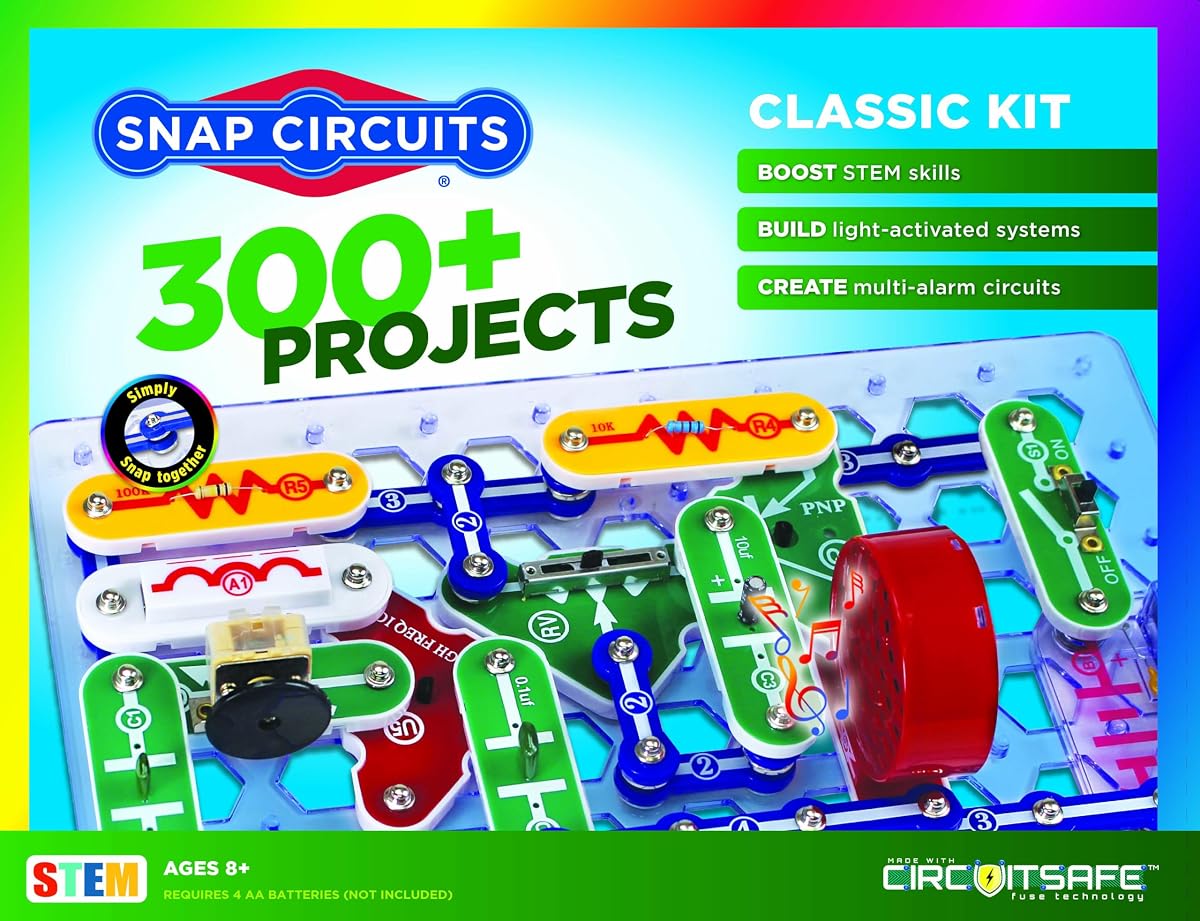
The SNAP CIRCUITS Classic SC-300 is a strong all-around choice for children who want to explore electronics without moving into a specialized subject. Its 4.8 rating reflects a highly appealing combination of variety and usability, while the collection supports more than 300 projects with sixty-plus pieces. The result is a kit that can introduce a circuit one afternoon and sustain experimentation for many months.
We may earn a commission when you buy through this link, at no additional cost to you.
Its strongest advantage is the balance between breadth and accessibility. Instructions cover projects including AM radios, burglar alarms, doorbells, and electronic games, giving children recognizable outcomes while still demonstrating how components work together. Numbered, color-coded parts connect to a plastic grid without soldering or other tools, so the focus remains on logic, planning, testing, and troubleshooting rather than adult technical assistance.
The main compromise is that a larger library also creates occasional complexity. Younger builders may need help interpreting diagrams or positioning parts, and projects requiring more advanced combinations can demand patience. Batteries must also be supplied separately. These are modest trade-offs for a kit whose main appeal is extensive repeat play rather than one or two quick outcomes.
This is a strong recommendation for an eight-year-old or older child ready for structured STEM play, especially one who enjoys music, games, lights, alarms, and mechanical-looking gadgets. It is less suited to a very young child who needs simplified instructions, but for the stated age range it provides one of the most balanced and versatile electronics experiences in the range.
With more than 300 projects across familiar categories such as radios, alarms, doorbells, and games, the kit offers a substantial number of distinct goals. That variety makes it easier for children to move beyond repeating a favorite design and begin adapting circuits for their own ideas.
Numbered, color-coded components attach directly to the included plastic grid. This dependable connection method lowers the barrier to entry and allows young builders to experiment directly with electricity rather than spending time learning to solder.
We may earn a commission when you buy through this link, at no additional cost to you.
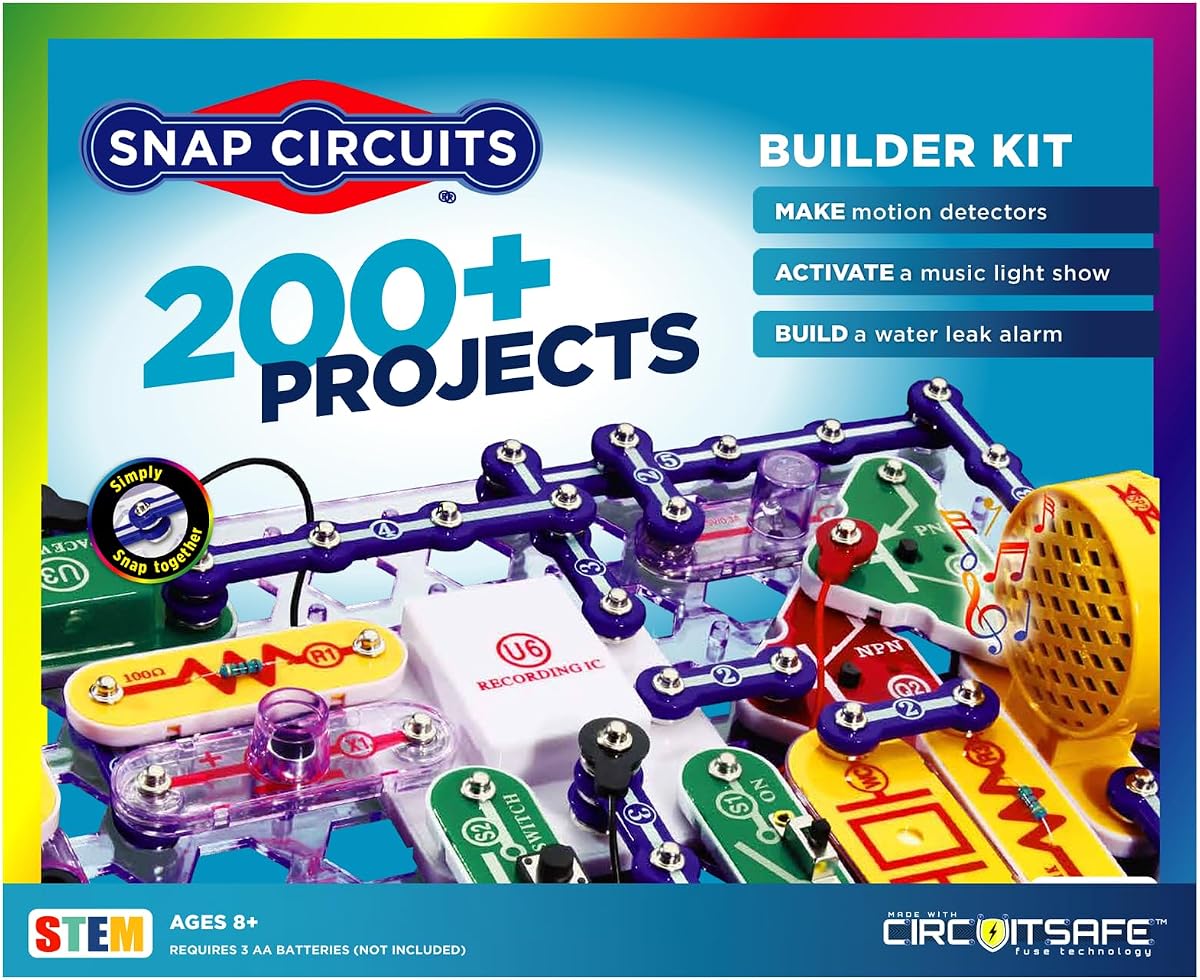
The SNAP CIRCUITS Arcade SCA-200 combines a 4.8 rating with an activity-oriented format that may be especially appealing to children drawn to games, flashing lights, and electronic challenges. Although it is framed around more than twenty arcade-style games, the same 36-piece set also supports over 200 projects, giving it more depth than a typical one-theme activity kit.
We may earn a commission when you buy through this link, at no additional cost to you.
One distinctive project lets children create a spinning LED message powered by a circuit they assemble. That feature blends making with visible communication, encouraging them to think about sequencing and translating an idea into a working electronic display. The additional game projects provide varied sound-and-light outcomes, helping sustain interest through repeated testing rather than a single completed build.
As the most budget-oriented selection, it makes sense to ask what is reduced compared with larger collections. The 36-piece inventory is less extensive than the fifty-five, sixty-plus, seventy-five, or eighty-piece options, and the stated focus is more concentrated. Batteries are required but not included, so families should account for that before the first project.
Choose this kit for an eight-year-old or older child who wants a playful introduction to circuits and values interactive projects over a very large parts inventory. It is an especially attractive choice for children who enjoy game design, light patterns, and immediate feedback. For the money-conscious buyer seeking variety, it delivers a convincing combination of theme, quantity, and approachable assembly.
The arcade format provides more than twenty sound-and-light games, giving children a motivating reason to test connections. Each completed circuit produces an observable result that can be repeated, adjusted, and compared with a friend's build.
The ability to write a message with LEDs adds creativity to a standard electronics set. It gives builders a meaningful goal while demonstrating how a programmed sequence of components can represent information visibly.
We may earn a commission when you buy through this link, at no additional cost to you.
The SNAP CIRCUITS Extreme SC-750 is the most advanced and expansive set in this comparison, earning a 4.8 rating for its substantial project library and specialized components. It supports over 750 experiments with 80 parts, including a photo resistor, power amplifier, variable capacitor, analog meter, solar cell, and computer interface. This is the kit for a child ready to move beyond introductory builds.
We may earn a commission when you buy through this link, at no additional cost to you.
The included PC-interface cable and software create a notable learning bridge between a physical circuit and a screen. Children can view waveforms and frequencies, giving them a way to observe and compare electrical behavior that is difficult to understand from components alone. The full-color manuals also support a broader curriculum, while the absence of soldering keeps advanced experimentation accessible without a workshop.
Its complexity is the reason it stands apart from the rest, but it is also the main drawback. An eight-year-old may need guidance with less familiar components, and computer-based activities add a setup requirement that the simpler kits do not have. A full inventory of 80 parts also creates more items to sort, store, and return to their proper place.
This is a compelling choice for an older child or beginner hobbyist who is enthusiastic about electronics, physics, measurement, and computer-assisted experimentation. It also suits families who want a kit to grow with rather than one that will be exhausted quickly. For younger learners or those seeking a simpler introduction, the Classic or Beginner sets may deliver a more comfortable starting point.
The included interface cable and software let children view waveforms and frequencies on a computer. This feature makes invisible electrical behavior more concrete and introduces measurement as part of the building process.
Components such as a photo resistor, variable capacitor, power amplifier, analog meter, and solar cell support a wider range of investigations. They provide meaningful differences from basic switch-and-light projects and encourage more advanced experimentation.
We may earn a commission when you buy through this link, at no additional cost to you.
The SNAP CIRCUITS Jr. SC-100 is a manageable first kit for children aged eight and older who want to understand basic electrical engineering. Its 4.8 rating, more than 100 projects, and 29-part collection offer enough variety to establish core skills without presenting the overwhelming inventory found in larger sets.
We may earn a commission when you buy through this link, at no additional cost to you.
The projects turn concepts into physical results, including a flying saucer that can take off and sound an alarm. That mix of movement and sound provides an engaging introduction to cause and effect. Colored instruction diagrams make the process easier to follow, while snap-on pieces eliminate soldering and additional tools, allowing a child to begin building with less adult intervention.
Compared with the Classic, Pro, and Extreme kits, the Jr. model is deliberately narrower. After working through the available ideas, a highly motivated child may want more specialized parts or a much larger project library. Batteries must also be supplied separately, and some projects will still require patience when learning how components need to be arranged for a successful result.
This kit is well suited to a first Snap Circuits experience, a home learning setup, or a child who prefers a focused collection rather than a very large one. It is less appropriate for someone already fluent in basic circuits who wants measurement tools, advanced sensors, or hundreds of additional designs. Within its introductory role, it delivers a clear and engaging starting experience.
The colorful manual and straightforward snap-together design help children interpret a circuit before they become comfortable with more advanced components. Over 100 projects provide enough repetition and variety to reinforce the basics.
A flying saucer that takes off and sounds an alarm makes abstract circuit behavior tangible. Such active outcomes can sustain a child's interest while demonstrating that component placement affects what a build does.
We may earn a commission when you buy through this link, at no additional cost to you.
The SNAP CIRCUITS Pro SC-500 occupies a useful middle ground between the beginner-oriented Classic and the computer-equipped Extreme. It has a 4.8 rating and supports more than 500 projects using 75 parts, creating a generous library for children who want extensive options without moving immediately into the most advanced measurement setup.
We may earn a commission when you buy through this link, at no additional cost to you.
Project variety includes a radio that can listen to broadcasts, a voice recorder, and an LED display. These are recognizable activities that showcase different uses of the same circuit-building system. The numbered, color-coded parts and included plastic grid keep assembly tool-free, and the manual provides a structured path through an exceptionally large selection of experiments.
The trade-off is partly one of attention and organization. Seventy-five components offer more opportunities but can be harder for a child to keep sorted, particularly when projects are interrupted. Batteries are required and not included. Also, children who ultimately want waveform software and specialized interface components may find the Extreme kit more aligned with that specific goal.
The Pro SC-500 is a strong recommendation for an eight-year-old or older child who is already enthusiastic about building and wants a library that does not run out quickly. It suits a home classroom, a shared family activity, or a child who likes comparing variations on familiar circuits. It delivers exceptional project volume while remaining more approachable than the most technically advanced option.
More than 500 project ideas reduce the chance that a child exhausts the kit quickly. The large number of possible combinations also gives parents a ready supply of structured activities when a child asks for something new.
A self-built radio, voice recorder, and LED display cover distinct forms of electronic output. These projects make the set feel like a collection of real applications rather than repeated variations of a single basic circuit.
We may earn a commission when you buy through this link, at no additional cost to you.
The SNAP CIRCUITS 203 is a capable mid-size option with a 4.7 rating, more than 200 projects, and a collection of forty-plus pieces. It offers a substantial introduction to electronics for children aged eight and older, particularly those who enjoy alarms, doorbells, lights, and interactive games.
We may earn a commission when you buy through this link, at no additional cost to you.
Its projects range from familiar household-inspired devices to games that can be shared with friends. This balance helps children see that circuits can imitate useful systems and provide entertainment. The snap-together system and included grid simplify assembly, while the colorful manual guides children toward working examples before encouraging adaptation and troubleshooting.
The limitation is breadth compared with the SC-500 and SC-750. A family may find the 203 model less likely to satisfy a child who wants to build for a very long time, particularly one interested in computer measurement. Its listing also does not explicitly mention batteries, so buyers should check the package and have suitable cells available if required by the chosen project.
This is a good middle choice for a child who wants more than a compact introduction but does not need the largest parts collection. It also works well as a shared activity because the game projects encourage social play. The 4.7 rating and broad project count indicate a satisfying balance, making the 203 a practical pick for everyday STEM entertainment.
Burglar alarms and doorbells provide intuitive examples of how switches and circuits can imitate familiar systems. Building them can make foundational electrical concepts easier for a child to connect with everyday life.
The listed electronic games add a cooperative element to solo circuit practice. Children can compare designs, explain their choices, and troubleshoot together, turning a building task into a shared problem-solving activity.
We may earn a commission when you buy through this link, at no additional cost to you.
The SNAP CIRCUITS Beginner SCB-20 is the clearest choice for a child beginning at age five. Its 4.7 rating reflects a gentler learning design with simpler instructions, child-friendly pieces, and extra childproofing features. It focuses on 21 unique projects while teaching the behavior of switches, circuits, planning, troubleshooting, and problem-solving.
We may earn a commission when you buy through this link, at no additional cost to you.
The age-appropriate diagrams and colorful manual are important advantages for younger children. The included lighted color-changing fan gives them a rewarding first outcome, and the stepped projects make it easier to progress from following a diagram toward independent construction. Real working circuits are formed without requiring advanced reading or complex assembly techniques.
This set is intentionally smaller than the kits marked for ages eight and older. Children who are especially curious may eventually want advanced sensors, more components, or a much larger number of experiments. The 21-project scope also means an adult may want to pace the experience and discuss each circuit rather than allowing the child to rush through every design.
Buy this kit for a child between five and nine, especially a younger sibling who is not ready for the denser instructions found in general electronics collections. It is also a sensible first purchase before moving to a larger set. For the right age group, the combination of safety-oriented design, approachable wording, and meaningful projects makes it a particularly thoughtful choice.
Simpler projects, clearer diagrams, and age-appropriate language reduce frustration for a child meeting circuits for the first time. The design creates a gradual introduction instead of asking a beginner to navigate a dense advanced inventory.
The kit adds childproofing features to standard components and uses child-friendly pieces designed to snap together. These details are particularly valuable for younger builders who may not yet handle smaller parts with the same care as an older child.
We may earn a commission when you buy through this link, at no additional cost to you.
The SNAP CIRCUITS Light is a distinctive 4.8-rated set centered on visible, creative electronics. It supports more than 175 projects with 55 parts, and its defining features include fiber optics, a color organ, a strobe light, and lighting that responds to music. It is especially attractive for children drawn to light, sound, and performance.
We may earn a commission when you buy through this link, at no additional cost to you.
A child can attach a smartphone to watch light patterns change with music, while the color-organ concept can respond to an iPod or another MP3 player, as well as voice or finger input. The spinning strobe pattern offers another visually striking result. These projects connect electrical control with artistic expression, giving the kit a different feel from conventional alarm or game builds.
The trade-off is that the 175-plus project library is smaller than several general kits, and the specialized lighting theme may not appeal to every child. Batteries are required but not included. A family should also expect to follow the manual carefully when connecting light-sensitive or sound-responsive components, since those builds can be less forgiving than simple switch-and-LED projects.
This is the right recommendation for an eight-year-old or older child who wants to make light shows, explore fiber optics, or connect music with electronics. It can also support a classroom demonstration because the output is immediately visible and dramatic. Choose a broader Classic or Pro set instead if a child wants many conventional projects; otherwise, the Light kit offers a memorable and highly visual STEM experience.
The color-organ and smartphone-related projects allow music to control visible light patterns. This link between sound and electronics creates a more expressive activity that extends beyond simply completing a circuit and observing a result.
Fiber optic components introduce a distinctive visual element to the building system. They give children an immediate, dramatic result that can make circuits feel more like an artistic installation than a conventional electronics exercise.
We may earn a commission when you buy through this link, at no additional cost to you.
The SNAP CIRCUITS My Home provides a focused route into household electronics through 34 projects, a 4.8 rating, and a broad selection of components. Intended for children aged eight and older, it explores electric circuits, home security, overhead lights, and an infrared-controlled lighting system in a theme children can readily understand.
We may earn a commission when you buy through this link, at no additional cost to you.
The inventory supports varied circuit work. It includes a base grid, slide and press switches, vertical, snap, and jumper wires, a battery holder, resistors, a capacitor, LEDs, a lamp, a sound module, transistors, a meter, a motor, and detailed instructions. This range is particularly useful for exploring why different devices require different kinds of components.
The narrower project count makes it less expansive than the SC-300, SC-500, or SC-750, and the home theme will be less interesting to a child focused primarily on arcade games or radio. It also requires three AA alkaline batteries, which are sold separately. That small setup task is easily managed but should be anticipated before opening the kit.
This kit is a good match for a child who wants to understand how everyday household controls work. It is also useful for learners who respond to a coherent theme and clear real-world parallels. Parents seeking a broad general-purpose collection may prefer the Classic, whereas the My Home set is ideal when the household-systems focus itself is the main attraction.
Home security, overhead lighting, and infrared-controlled lighting give the projects an immediate context. Children can connect circuit principles to systems they recognize at home, which makes abstract concepts more concrete.
Resistors, a capacitor, transistors, a meter, motor, and sound module create opportunities for more varied circuits than a basic switch-and-light set. The collection supports comparative testing and a deeper look at how electrical systems are organized.
We may earn a commission when you buy through this link, at no additional cost to you.
The SNAP CIRCUITS Flight Deck is a compact STEM set with five unique projects and a 4.5 rating. Rather than offering hundreds of separate circuits, it concentrates on electricity, physics, and aerodynamics through activities involving a paper airplane launcher, flying saucers, balls, a spinning wheel, and levitation.
We may earn a commission when you buy through this link, at no additional cost to you.
This thematic concentration is the set's defining strength. The launcher provides a direct way to explore how electricity can produce mechanical movement, while the flying-saucer and ball activities connect circuit building to motion. The levitation activity introduces air pressure, and the spinning-wheel project adds an artistic visual result. Easy-to-follow directions are intended to help children work independently and build confidence.
The obvious limitation is scale. Five projects offer less repeated play than any of the larger kits in the comparison, so this is better viewed as a focused experience or supplement than a comprehensive electronics library. Batteries are not included, and the compact design may feel limited to a child who expects a large assortment of components and project ideas.
Choose the Flight Deck for an eight-year-old or older child with a strong interest in flight, motion, or hands-on physics. It is also a practical travel, birthday, or holiday activity when a large kit would be inconvenient. Its focused theme makes it especially memorable, although buyers wanting long-term variety should consider a broader set.
The paper airplane launcher links an electrical build to a physical launch. Children can see how a working circuit translates into movement and then consider how adjustments affect the result.
The ball-levitation activity introduces air pressure, while flying and spinning activities explore motion in a tangible way. The projects turn scientific ideas into visible experiments that children can repeat and modify.
We may earn a commission when you buy through this link, at no additional cost to you.
The right Snap Circuits kit depends on age, available experience, preferred themes, and how much variety you want. Comparing these factors prevents a child from receiving either an overly complex system or a set that is too limited to hold attention.
Choose the beginner kit for a child five through nine, and favor age-eight-plus sets for independent building. Match complexity to reading readiness, not just chronological age.
Choose a focused five-project set for a specific activity, or a large collection for sustained, varied play. Treat project count as a replay indicator, not a quality score.
Look for components that match your child's interests and willingness to troubleshoot. A larger count helps, but meaningful sensors and measurement tools can matter more.
Choose a themed kit when a child's hobby will pull them into repeated building. Pick a general set for broad exploration and varied interests.
Expect light adult support for younger builders, especially on complex diagrams. Verify computer compatibility and comfort before choosing the interface-equipped set.
Prioritize clear, progressive instructions, especially for first-time builders. Guided projects establish skills that make later free building more successful.
Plan for component storage and confirm the battery and accessory requirements. A complete parts list prevents first-build interruptions.
Start near the child's current skill level, then move upward as confidence grows. The most educational kit is challenging, but still accessible.
Begin with the manual rather than assembling a familiar-looking design from memory. Lay out the required components, confirm that the battery holder is installed correctly, and follow the illustrated sequence one connection at a time. Keeping parts in small groups by project makes it easier to identify a missing or incorrect component before the circuit is powered.
After each build, disconnect the batteries and return unused components to a labeled organizer. If a circuit does not work, check that every connection is fully attached and compare the layout with the diagram before changing several parts at once. This methodical process helps children treat mistakes as useful information and preserves a useful troubleshooting habit.
Keep components dry, clean, and away from pets or places where small parts could be damaged. Follow the battery guidance supplied with the chosen kit, remove batteries during long storage, and replace worn or corroded batteries as directed. A plastic grid and dedicated storage tray can prevent scratches, tangled wires, and lost pieces, helping the kit remain ready for the next session.
No soldering or special construction tools are required for the listed kits. Numbered and color-coded components snap onto the included plastic grid to create secure electrical connections. Batteries are required for many projects, but batteries are not included with most of the kits, so check the package details before starting.
The SNAP CIRCUITS Beginner SCB-20 is specifically designed for children ages five to nine. It offers simpler projects, age-appropriate diagrams, child-friendly parts, and extra childproofing features. A child aged eight or older who is ready for more complex reading may begin with the Jr. or Classic set instead.
A higher project count usually provides more replay value, but it does not guarantee a better match for every child. The Flight Deck concentrates five activities around flight and physics, while the Light kit offers more than 175 projects focused on lighting. Compare the available themes, component types, age guidance, and instruction complexity rather than looking only at the total.
Many children aged eight and older can follow the illustrated instructions and complete projects independently. Younger builders may need an adult to explain the first few connections or help organize parts. The Flight Deck and Beginner set are designed with more accessible directions, while larger and more technical kits can involve more involved troubleshooting.
The product information states that Snap Circuits kits can be combined for even more projects, and they use a common snap-together building approach. Check the instructions and component compatibility for any specific combination you plan to use, especially when adding advanced sensors or computer-interface equipment from the Extreme kit.
Battery requirements depend on the kit and project. The My Home kit specifically requires three AA alkaline batteries, sold separately, while several other listings simply state that batteries are required. The Flight Deck also notes that batteries are not included. Check the current package information and product manual for the correct battery type before beginning.
The computer is relevant to the Extreme kit's included software and PC-interface cable, which let children view waveforms and frequencies. Its many other projects are based on physical circuit building, but a family interested in the software-assisted measurement activities should confirm computer compatibility and setup requirements in advance.
Start by disconnecting the batteries and checking every connection against the manual. Make sure the parts are seated securely and that the correct components were used in the correct locations. Change one factor at a time, since altering several connections at once can make the cause harder to identify and reduce the troubleshooting lesson.
The SNAP CIRCUITS Classic SC-300 is the strongest all-around recommendation because it combines more than 300 projects with sixty-plus components and approachable tool-free construction. The Arcade SCA-200 stands out for value and game-focused appeal, while the Extreme SC-750 offers the most advanced experience through its enormous project library, specialized parts, and computer interface.
For a child under nine, the Beginner SCB-20 should take priority because its simplified instructions, child-friendly components, and extra safety design fit the developmental stage. Older children may prefer the Jr. or 203 for a manageable introduction, the Pro for extensive conventional projects, the Light or My Home sets for a particular theme, or the Flight Deck for a compact exploration of motion and physics.
Before purchasing, verify the current project count, component list, age guidance, battery requirements, and computer compatibility on the live listing. Prices, package configurations, and availability can change, and those details help determine which kit is the strongest fit at the time of purchase.