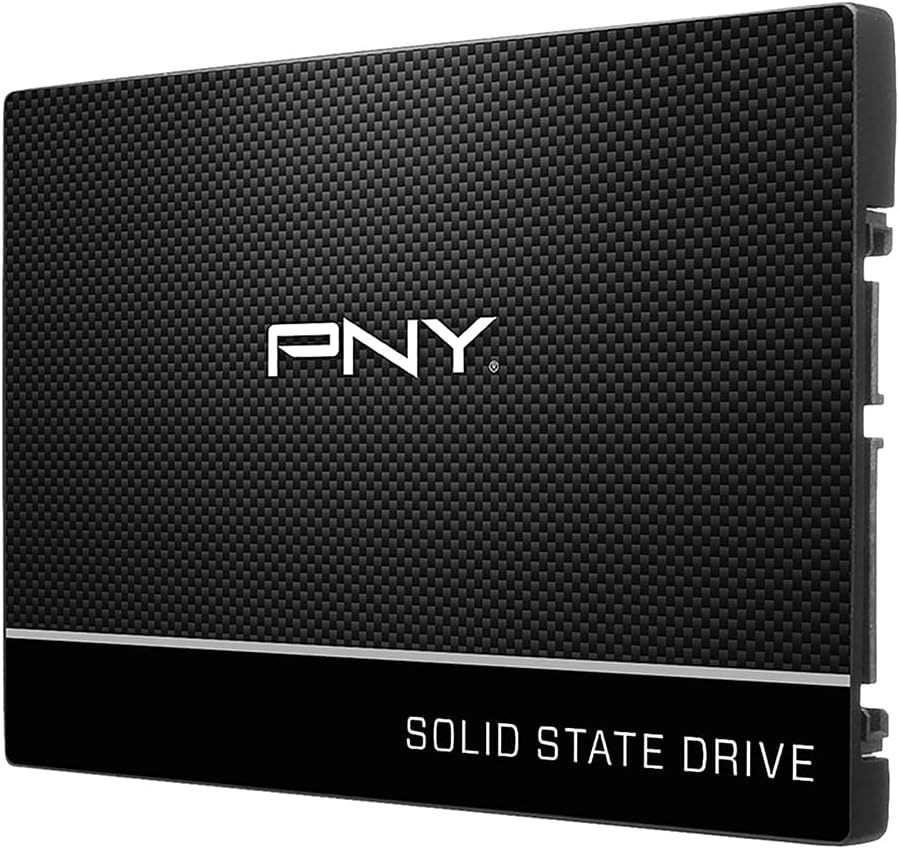
PNY CS900 1TB 2.5" SATA III Internal SSD
4.7Editor score
Up to 535MB/s sequential reads
Up to 515MB/s sequential writes
Low-power 2.5-inch SATA design
Backward compatible with SATA II
Replacing a laptop hard drive with a solid state drive can transform boot times, application loading, file transfers, and everyday responsiveness. A good upgrade should fit the available storage bay, support the laptop’s connection standard, provide enough capacity, and remain easy to install without compromising essential data.
We compared all ten recommendations by interface, form factor, capacity, rated performance, NAND type, durability features, operating-system compatibility, and available management or support tools. The list covers standard 2.5-inch SATA drives for conventional upgrades as well as a high-bandwidth M.2 PCIe option for compatible modern laptops.
Each review explains the strongest reason to consider the drive, along with relevant limitations and the type of user it suits best. Product listings, bundled accessories, firmware, and availability can change, so confirm the physical dimensions, connector layout, and current specifications before ordering.
4.7Editor score

4.8Editor score

4.8Editor score
As an Amazon Associate we earn from qualifying purchases.
The table below places the ten laptop-upgrade SSDs side by side, highlighting their interfaces, capacities, form factors, headline performance, and key compatibility considerations.



The PNY CS900 1TB is a conventional 2.5-inch SATA III SSD that gives a laptop a substantial storage increase while dramatically improving responsiveness compared with a traditional mechanical hard drive. It carries a 4.7 rating, and its headline performance of up to 535MB/s sequential reads and 515MB/s sequential writes is well suited to a general-purpose laptop upgrade.
We may earn a commission when you buy through this link, at no additional cost to you.
The strongest feature is its balance. One terabyte provides useful room for an operating system, applications, browser data, and personal files without forcing a user toward a much smaller capacity. At the same time, the drive can take advantage of the bandwidth available from SATA III. Its ultra-low power consumption also makes it a natural fit for a portable machine, while backward compatibility with SATA II expands its potential compatibility with older laptops.
The primary limitation is that this is a SATA drive, so it cannot deliver the headline transfer rates of an M.2 PCIe SSD. It also has a relatively bare-bones feature set compared with premium drives that provide dedicated health monitoring, encryption utilities, or firmware management. A SATA III laptop is also likely to have a slower storage connection, making the practical difference between top SATA models modest.
This is a strong recommendation for anyone replacing a 2.5-inch laptop hard drive, cloning an existing system, or adding a general-purpose SATA SSD. Choose it when you want a 1TB capacity, a high user rating, straightforward compatibility, and strong sequential performance without requiring a PCIe slot or specialized management software.
The move from a hard drive to this SATA III SSD can make a laptop feel substantially quicker during startup, application launches, and file transfers. The drive is rated to deliver up to 535MB/s sequential reads and 515MB/s sequential writes, which takes full advantage of a modern SATA III connection.
A 1TB capacity is versatile enough for a working operating system, frequent applications, large document collections, and downloaded media. It is also a more practical target than a very small drive when Windows or Linux updates and temporary application files need room to operate.
We may earn a commission when you buy through this link, at no additional cost to you.
The PNY CS900 250GB is aimed at laptop owners who want to replace a slow hard drive with a compact, responsive SATA SSD. It has a 4.7 rating and is specified for up to 535MB/s sequential reads and 500MB/s sequential writes, making it a practical option for everyday computing, web access, schoolwork, and lightweight productivity applications.
We may earn a commission when you buy through this link, at no additional cost to you.
Its low power consumption is especially relevant to a laptop because storage power use can affect overall efficiency. The drive is also backward compatible with SATA II systems, which adds flexibility if the upgrade involves an older computer. A standard 2.5-inch SATA III form factor keeps installation straightforward for compatible laptops that use a traditional storage bay or SATA connector.
The main compromise is capacity. Once the operating system, essential applications, updates, and personal files are installed, 250GB can become constrained. This is most noticeable for users who store large video files, extensive photo libraries, large game installations, or numerous offline applications. It may also be difficult to maintain a large free-space margin as the drive fills.
The CS900 250GB works best for a lightweight laptop, a secondary data drive, or a simple refresh of an aging system. It is less convincing as a long-term primary drive for a heavily used machine, but its strong rating, efficient design, and solid sequential performance make it a sensible choice when modest capacity is the priority.
Despite its modest capacity, the CS900 can use SATA III bandwidth efficiently. The 535MB/s read rating and 500MB/s write rating provide a clear improvement over a mechanical hard drive for operating-system access and routine file operations.
This capacity works well for browsing, office applications, school materials, and a modest collection of personal files. Keep local file storage modest, or use cloud storage and external media for archives that do not need constant access.
We may earn a commission when you buy through this link, at no additional cost to you.
The PNY CS900 500GB occupies an attractive middle ground between a compact system drive and a high-capacity upgrade. It carries a 4.7 rating and offers up to 550MB/s sequential reads and 500MB/s sequential writes, giving compatible laptops responsive startup and application performance without requiring a new storage architecture.
We may earn a commission when you buy through this link, at no additional cost to you.
Five hundred gigabytes is sufficient for a full operating system, core applications, browser profiles, and a meaningful library of documents or media. The drive’s ultra-low power consumption remains useful in portable systems, while SATA II backward compatibility broadens the range of older machines that can use it. For a laptop still relying on a hard drive, it can provide a particularly noticeable improvement in responsiveness.
Its limitation is that some modern files, including high-resolution photos and high-bitrate video, can occupy the available space quickly. It also stops far below the speed possible with PCIe storage, although most SATA-connected laptops would be unable to exploit that difference in normal use. Users seeking dedicated health software or advanced encryption management will find more purpose-built options elsewhere.
Choose the 500GB model if you want more breathing room than a small system drive without committing to a 1TB configuration. It is a strong all-round choice for students, professionals, and general-purpose users who want a straightforward SATA III laptop upgrade and expect to manage larger files through external storage.
A 500GB drive is less likely to become congested by routine system data than a smaller model. That additional free space can help an operating system remain responsive while software updates, caches, and user files coexist on the same volume.
The 550MB/s maximum sequential read rate gives the drive ample performance for general laptop tasks. Its ultra-low power consumption is also well suited to portable use, particularly when replacing a power-hungry mechanical hard drive.
We may earn a commission when you buy through this link, at no additional cost to you.
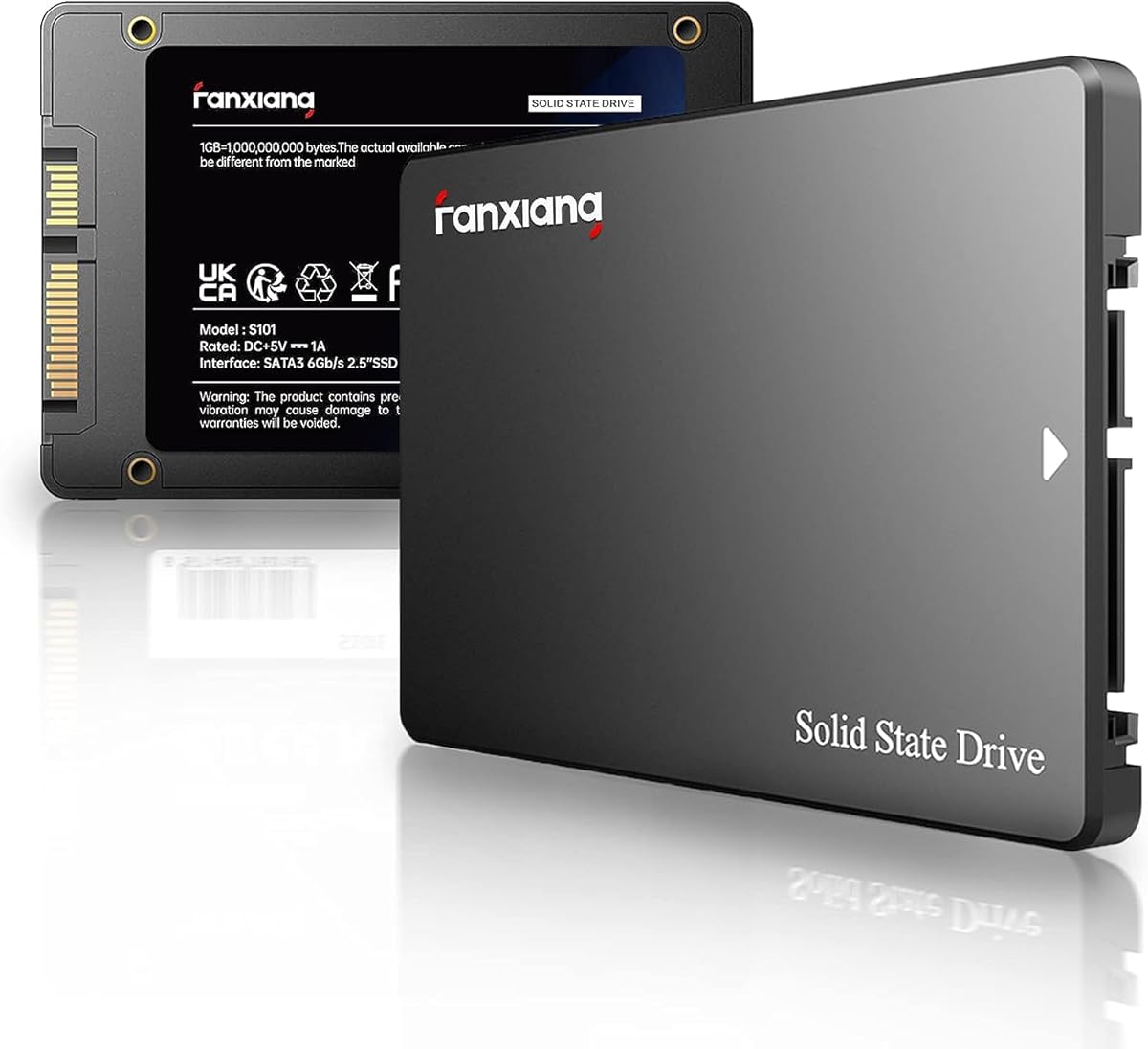
The fanxiang S101 1TB is a 2.5-inch SATA III SSD with a 4.5 rating and a maximum stated read speed of 520MB/s. It is designed for upgrading laptops, desktops, and all-in-one computers, with broad support for Windows, Linux, and Mac OS making it a flexible choice for mixed environments.
We may earn a commission when you buy through this link, at no additional cost to you.
The use of 3D NAND TLC is the feature most likely to interest buyers concerned about sustained write behavior. The manufacturer states that TLC offers a longer lifespan in writes than QLC, making the S101 a more conservative selection for a primary system drive. Its one-terabyte capacity also provides room for applications, personal files, and system data without moving to the largest mainstream capacities.
The performance figures are not as high as those of the strongest SATA competitors, and a 520MB/s ceiling is below the best figures listed for the PNY CS900 and Samsung 870 EVO. Sustained performance also depends on the host system and workload. Another consideration is the brand’s support experience: the listing offers three years of after-sales service and lifetime technical support, but users who value a mature software ecosystem may prefer a drive with established desktop management tools.
The S101 is best for a compatible laptop that needs a generous capacity and a TLC-based internal drive rather than the highest possible SATA speed. It makes sense for general computing, study, office work, and systems moving away from a hard drive. Buyers prioritizing sophisticated management utilities or the top SATA transfer rate should compare the alternatives in this guide.
TLC flash stores multiple bits per memory cell and is generally better suited to repeated writes than QLC. For a laptop used as a daily work or study machine, this can be a more important consideration than a modest difference in advertised peak speed.
The stated support for Windows, Linux, and Mac OS broadens the S101’s appeal. It also fits the common 2.5-inch SATA layout used in many laptops and desktops, provided the machine has a suitable bay, connector, and mounting arrangement.
We may earn a commission when you buy through this link, at no additional cost to you.
The KingSpec 1TB 2.5 SSD combines a useful capacity with strong SATA III performance and a broad collection of reliability features. It has a 4.5 rating and is specified for up to 550MB/s sequential reads and 520MB/s sequential writes, making it one of the faster conventional 2.5-inch options in this guide.
We may earn a commission when you buy through this link, at no additional cost to you.
The drive supports wear leveling, garbage collection, over-provisioning, native command queuing, TRIM, and S.M.A.R.T. That feature set is reassuring for anyone who wants standard SSD housekeeping and health-monitoring capabilities. Its shockproof and anti-drop construction also reflects the inherent resilience of a solid state drive, while quiet operation, low power consumption, and broad temperature resistance suit portable or frequently used systems.
Compatibility is broad: the listing identifies support for current and legacy Windows editions, DOS, Linux, and Unix, with SATA Rev. 3.0 backward compatibility to SATA Rev. 2.0. The three-year limited warranty and lifetime technical support add useful coverage. However, the maximum sequential speed still sits within the SATA interface envelope, and the product does not offer the specialized desktop software ecosystem associated with some premium competitors.
This is a well-rounded recommendation for users who want more than raw speed from a 2.5-inch upgrade. The KingSpec 1TB is especially attractive for business, entertainment, and general computing, provided the laptop accepts a standard SATA III drive. It is a practical choice when warranty coverage, management features, and strong sequential performance all matter.
Wear leveling, garbage collection, over-provisioning, TRIM, and S.M.A.R.T. support cover many of the routines that help an SSD maintain consistent performance. These features make the drive more attractive for a primary system installation than a model with minimal support.
With up to 550MB/s reads and 520MB/s writes, the KingSpec approaches the practical limit of SATA III. In a laptop limited to a two-lane SATA connection, that is generally more than sufficient to remove the latency associated with a hard drive.
We may earn a commission when you buy through this link, at no additional cost to you.
The Samsung 990 EVO Plus 2TB is the clear high-performance choice in this guide for a laptop with a compatible M.2 2280 PCIe slot. It carries a 4.8 rating and is rated for up to 7,250MB/s sequential reads and 6,300MB/s sequential writes, dramatically exceeding the transfer capabilities of the conventional SATA models included here.
We may earn a commission when you buy through this link, at no additional cost to you.
Two terabytes provides abundant room for a primary operating system, demanding applications, game libraries, creative project files, and other high-volume data. Intelligent TurboWrite 2.0 is designed to enhance large-file performance, while the nickel-coated controller is intended to maintain efficiency and manage heat. Samsung Magician adds firmware updates, encryption options, and ongoing drive-health monitoring for users who want a managed storage platform.
Compatibility is the decisive issue. The drive uses the M.2 2280 form factor and supports PCIe 4.0 x4 and PCIe 5.0 x2, so it must fit the laptop’s physical bay and expose a compatible M.2 key and protocol. Some older laptops support SATA-style M.2 drives but not PCIe, while others have SATA bays with no M.2 connector at all. The greater speed also places more thermal and power demands on the host system than a basic SATA SSD.
Choose the 990 EVO Plus for a modern workstation-class laptop, a creator who transfers large files, or a power user who can exploit PCIe bandwidth. It is the leading recommendation for maximum upgrade performance, provided the machine has the correct slot. For a general-purpose upgrade, a SATA model may be easier to install and more broadly compatible.
Sequential reads of up to 7,250MB/s and writes of up to 6,300MB/s make this drive well suited to large archives, high-resolution media, project files, and operating-system images. The 2TB capacity allows those files to remain locally accessible.
Samsung Magician supports firmware maintenance, encryption, and drive-health monitoring. The nickel-coated controller is designed to improve efficiency and thermal behavior, although the laptop still needs adequate cooling and a compatible PCIe connection.
We may earn a commission when you buy through this link, at no additional cost to you.
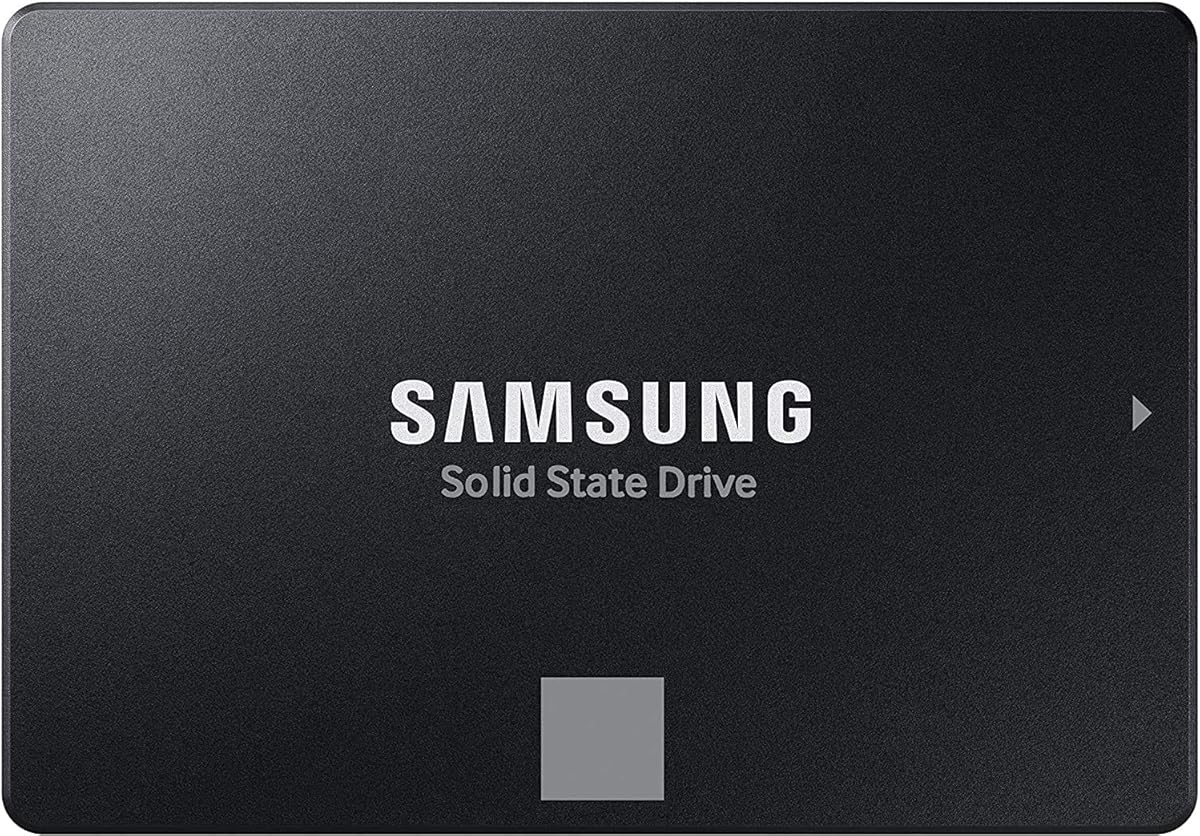
The Samsung 870 EVO 2TB combines a large capacity with the highest listed read speed among the 2.5-inch SATA drives in this guide. Its 4.8 rating, up to 560MB/s sequential read speed, up to 530MB/s write speed, and endurance rating of up to 2,400TBW make it an especially compelling premium SATA upgrade.
We may earn a commission when you buy through this link, at no additional cost to you.
The 2TB capacity is well suited to demanding users who want one drive for the operating system, applications, creative assets, and extensive file storage. Samsung states that the drive is designed for everyday computing as well as demanding workloads such as 8K video processing. A larger variable buffer is intended to accelerate writes and maintain longer-term performance, while compatibility testing across major chipsets, motherboards, NAS systems, and recording devices supports deployment flexibility.
Encryption support includes Class 0 AES 256, TCG/Opal v2.0, MS eDrive, and IEEE 1667 according to the product information. Shock resistance is specified at 1,500G and 0.5 milliseconds for a half-sine shock. Nevertheless, the drive remains constrained by the SATA interface, so it will not approach the transfer speed of the 990 EVO Plus in a compatible PCIe laptop. Buyers with modest storage needs may also find that a one-terabyte model is sufficient.
This is an excellent choice for a compatible laptop that needs substantial SATA storage, strong sustained performance, and a mature feature set. It works particularly well for creators, professionals, and heavy users. If the laptop has a supported PCIe M.2 bay and performance is the overriding priority, the 990 EVO Plus is faster; otherwise, the 870 EVO 2TB is a balanced premium upgrade.
The stated endurance of up to 2,400TBW makes this model appealing for users who write substantial volumes of data. It is particularly relevant to editing, development, large project archives, and systems that remain in service for many years.
The 870 EVO supports SATA 6GB/s and remains compatible with SATA 3GB/s and SATA 1.5GB/s interfaces. That makes it a versatile option for laptops and other systems using older SATA connections, provided the 2.5-inch bay and mounting hardware are available.
We may earn a commission when you buy through this link, at no additional cost to you.
The Samsung 870 EVO 250GB delivers flagship-class SATA performance in a small capacity. It has a 4.8 rating, reaches up to 560MB/s sequential reads and 530MB/s sequential writes, and is specified for up to 600TBW under a five-year limited warranty. It is a credible primary-drive choice for lighter laptops, though capacity is the defining limitation.
We may earn a commission when you buy through this link, at no additional cost to you.
Samsung’s larger variable buffer supports accelerated writes and sustained performance, while in-house production of firmware and components provides end-to-end control over the platform. The drive has also been compatibility tested for major chipsets, motherboards, NAS systems, and video recording devices. Samsung Magician 6 provides a clear management route for updates, health monitoring, status inspection, encryption, and performance management.
The renewed migration software is intended to simplify moving an existing installation to the new drive, which can be helpful for less experienced upgraders. Even so, 250GB is a tight amount of space for a modern operating system, browser data, updates, and applications. It is better viewed as a lightweight system drive than a long-term media library, and a 2.5-inch SATA connection cannot deliver the bandwidth of a PCIe upgrade.
Buy the 250GB model if it is intended for a compact laptop, a secondary drive, or a simple system refresh where storage needs remain limited. It is especially attractive to users who want Samsung’s management ecosystem and strong drive characteristics in a smaller format. For intensive work, a larger-capacity model is more practical.
Samsung Magician 6 gives users a centralized place for firmware updates, encryption, drive-health monitoring, and status checks. The included migration workflow can also reduce the difficulty of transferring an existing operating system and applications.
The 870 EVO 250GB retains the 870 series’ strong sequential performance and endurance characteristics. It is most useful when fast response matters more than holding a large local media collection, making cloud and external storage sensible complements.
We may earn a commission when you buy through this link, at no additional cost to you.
The Samsung 870 EVO 1TB is one of the most balanced upgrades in the guide. It combines a 4.8 rating, a familiar 1TB capacity, and up to 560MB/s sequential reads in a 2.5-inch SATA III form factor. That combination makes it suitable for users who want a high-quality primary laptop drive without needing the newest M.2 interface.
We may earn a commission when you buy through this link, at no additional cost to you.
The drive is aimed at demanding everyday tasks, high-end PCs, workstations, and NAS systems. A larger variable buffer helps accelerate writes and maintain performance over time, while the listed endurance of up to 600TBW provides a solid foundation for intensive use. Samsung Magician 6 assists with health monitoring, firmware updates, encryption, and drive-status management.
Encryption support is another strength, with AES 256-bit encryption, TCG/Opal, and IEEE 1667 listed. Compatibility testing across major chipsets, motherboards, NAS devices, and video recorders adds confidence for specialized systems. The limitations are physical rather than performance-related: it cannot fit a SATA-only M.2 connector without an appropriate adapter, and SATA bandwidth remains far below the 990 EVO Plus. Some users may also want a software migration workflow before cloning the old system.
This is a strong recommendation for a conventional laptop with a 2.5-inch SATA bay. It gives a professional workload more endurance, management options, and polish than a basic drive while avoiding the complexity of high-power PCIe storage. Choose it when 1TB is the right capacity and the laptop’s existing connector supports a standard SATA SSD.
One terabyte is a useful capacity for most laptop workloads, and the 870 EVO combines that space with high sequential performance and strong endurance. It is a sensible primary-drive configuration for work, study, development, and media use.
AES 256-bit encryption, TCG/Opal, and IEEE 1667 support can be valuable in professional environments. Samsung Magician provides firmware and health tools, while the stated compatibility testing covers a wide range of host systems and applications.
We may earn a commission when you buy through this link, at no additional cost to you.
The TEAMGROUP T-Force Vulcan Z 1TB combines 3D NAND TLC with a built-in SLC cache to provide up to 550MB/s reads and 500MB/s writes. Its 4.6 rating and gaming-oriented positioning make it an interesting option for a laptop that needs a responsive 2.5-inch SATA upgrade with enough capacity for games, applications, and operating-system files.
We may earn a commission when you buy through this link, at no additional cost to you.
The SLC cache is designed to support stable performance during bursts of file activity, while the listed speeds suit fast transfers and a responsive operating system. The manufacturer also highlights suitability for 4K video editing, although actual results depend on the workload, host interface, and available drive space. A 1TB capacity is a practical middle ground for active use and avoids the crowding associated with a 250GB system drive.
Its standard 2.5-inch, 7mm slim design fits many laptops and desktop computers that accept SATA III drives. Shock and vibration resistance, silent operation, no moving parts, and lower power consumption all reflect the advantages of SSD construction. The three-year or TBW limited warranty is useful, although the precise current terms should be confirmed with the manufacturer. As with every SATA drive, peak performance is constrained by the interface.
Choose this model for a gaming laptop or general-purpose notebook that uses a 2.5-inch SATA drive and benefits from a fast cache-assisted response. It is a solid all-around option for users who want TLC NAND, 1TB capacity, and a thin profile. A modern laptop with PCIe M.2 support can deliver far greater throughput, so compatibility should be checked before finalizing an upgrade.
A dedicated SLC cache can improve responsiveness during frequently accessed or newly written data. The result is most useful in typical interactive workloads, where brief cache availability and fast access matter more than sustained multi-terabyte transfers.
The 7mm slim profile is appropriate for many modern laptop storage bays. Its standard SATA III interface also means it can replace a 2.5-inch hard drive with fewer connector concerns than an M.2 PCIe model, although the caddy or mounting hardware must still be confirmed.
We may earn a commission when you buy through this link, at no additional cost to you.
Choosing an SSD starts with the laptop’s physical connectors and storage protocol, followed by capacity, endurance, and workload requirements. Checking these details before ordering prevents an otherwise capable drive from becoming an incompatible or impractical upgrade.
A 2.5-inch SATA SSD uses a standard SATA data connector and SATA power connector. It is the usual replacement for a conventional 2.5-inch laptop hard drive, but the laptop must also have a suitable bay, mounting points, and space for the cable. Some thin laptops use a specialized SATA connector or an adapter, so the service manual and connector shape should be checked before purchase. A drive’s advertised speed cannot overcome an incompatible interface.
M.2 describes the physical module shape, while NVMe and SATA describe the protocols a slot can support. A 2280 module is 22 millimeters wide and 80 millimeters long, but not every 2280 bay accepts every controller or protocol. Check whether the laptop supports NVMe PCIe, M.2 SATA, or both, and verify the available mounting position. The Samsung 990 EVO Plus needs a compatible PCIe M.2 environment to deliver its stated bandwidth.
Capacity should reflect the operating system, installed applications, updates, temporary files, and personal media. A 250GB drive is most appropriate for lightweight use, 500GB offers more breathing room, and 1TB suits active systems. Two-terabyte models are better for large media libraries, creative projects, and users who prefer to keep data locally. Leaving some free space can also help the drive maintain consistent performance as its usable capacity approaches the limit.
Sequential headline speeds are useful for large transfers, while random read and write behavior matters for operating-system access, application launches, and multitasking. SATA III models top out around the speeds listed in this guide, so improvements over a hard drive remain substantial even without PCIe bandwidth. Users copying huge video files, high-resolution images, or development archives may benefit more from PCIe, while general productivity usually reveals a smaller difference between leading SATA models.
NAND type influences write endurance and behavior under sustained workloads. TLC-based drives are generally a more conservative choice for primary laptop storage than QLC, while the listed TBW figures offer a clearer endurance comparison than capacity alone. Look for a rating that comfortably exceeds the expected write volume, and leave room for system updates and temporary files. For light use, endurance is rarely the limiting factor; for video, development, or database-like workloads, it deserves more attention.
A drive that offers health monitoring, firmware updates, encryption controls, and clear status tools can simplify long-term ownership. Samsung Magician provides a broad management suite, while S.M.A.R.T. support and TRIM are useful standards for system-level monitoring. Professional systems may also benefit from AES 256-bit encryption, TCG/Opal, or IEEE 1667 support. These features are most valuable when the laptop is used for confidential work or managed by an IT department.
A laptop SSD upgrade usually involves transferring the existing system, cloning the old drive, or performing a clean operating-system installation. Check whether the laptop has a USB-to-SATA adapter or a second internal bay for the migration. Confirm the availability of a caddy, mounting bracket, and appropriate screws. Secure backups, verify that essential files have been copied, and use a fresh, compatible operating-system installation when the old drive has only one supported storage connection.
SSDs are generally efficient, but the fastest PCIe drives can generate more heat and draw more power than simple SATA models. Laptop cooling systems are often compact, and a drive placed near the processor or memory may need help maintaining its top performance. The 990 EVO Plus uses a nickel-coated controller intended to improve efficiency and thermal behavior. For any upgrade, follow the laptop manufacturer’s guidance on approved storage devices and thermal behavior.
Begin by backing up important files, recording the current storage layout, and checking the laptop service manual for the supported drive dimensions and connector. Confirm whether the machine uses a 2.5-inch SATA bay, an M.2 slot, or a combination of both. Gather the correct screw size, mounting bracket, or caddy before opening the chassis, and keep static-discharge precautions in mind while handling the drive.
Install the SSD according to the laptop manufacturer’s procedure, then reconnect or attach the data and power connections. Clone the existing system when the old drive remains accessible, or install a fresh operating system through the laptop’s supported boot media. After migration, verify that the system boots from the SSD, confirm that all applications and files are present, and check that the total storage capacity is recognized before formatting or reusing the old drive.
Keep a reasonable amount of free space, install operating-system and firmware updates when appropriate, and use the manufacturer’s monitoring software when it is available. Avoid abrupt removal, repeated forced startups, and unnecessary disk-full conditions. Periodic backups remain essential even with a reliable SSD because no solid state drive can protect against accidental deletion, hardware failure, theft, or software problems.
In most cases, yes. Replacing a mechanical hard drive with an SSD is one of the most noticeable internal upgrades because it reduces seek delays and improves boot, application-loading, and file-transfer responsiveness. The improvement can be especially noticeable on older systems that still use a hard drive. Memory and processor upgrades may provide additional benefits, but storage is often where users feel the change immediately.
No. The laptop must have a compatible 2.5-inch storage bay, a SATA data connection, SATA power, and sufficient internal space. Some laptops use SATA-connected M.2 drives, specialized connectors, or a different mounting arrangement. Check the service manual and compare the existing drive’s connector, thickness, and mounting points before ordering.
Only if the slot supports the NVMe protocol. M.2 is a physical form factor, and slots can support NVMe, SATA, or both, sometimes through separate connectors. The drive also needs the correct M.2 length and key layout. A system that supports only M.2 SATA cannot use the Samsung 990 EVO Plus even if the module physically fits.
A 250GB drive works for lightweight systems, while 500GB is more comfortable for everyday use. One terabyte is a versatile primary-drive capacity, and 2TB is preferable for large game libraries, creative media, or extensive local archives. Consider your current data, applications, operating-system overhead, and future growth rather than choosing solely by the size of your existing drive.
Not always. If the original drive remains connected and accessible, you can clone the existing installation to the SSD. If the laptop has only one internal storage position, you may need an adapter to clone first or perform a clean installation from supported boot media. Always back up data before starting and verify the cloned system boots correctly before removing the original drive.
It can improve load times, asset streaming, and the consistency of frame delivery when the game is stored on the SSD. It will not increase a laptop’s graphics processing power or raise the maximum frame rate of a graphics-limited game. A PCIe-capable laptop may show larger gains than a SATA-only system, but both storage types are substantially more responsive than a mechanical hard drive.
Encryption is worth considering when the laptop stores confidential work or personal information. Several premium options in the guide support hardware-assisted AES 256-bit encryption, TCG/Opal, or IEEE 1667. Plan how the recovery key or sign-in credentials will be stored, because losing the only way to unlock the drive can make its data inaccessible despite the drive remaining physically intact.
SSDs require less routine maintenance than mechanical hard drives and have no moving parts to lubricate or defragment. You should still maintain backups, keep some free space available, use compatible firmware and management software, and avoid abrupt removal. TRIM and wear leveling are handled automatically by modern operating systems and supported drives, so specialized maintenance utilities are generally not required for ordinary use.
The PNY CS900 1TB stands out as the balanced selection for a conventional SATA laptop, combining a useful 1TB capacity, a 4.7 rating, and strong sequential performance. The Samsung 990 EVO Plus 2TB is the performance leader for compatible PCIe M.2 systems, while the Samsung 870 EVO 1TB is a polished premium SATA option with strong endurance, encryption support, and management tools.
Prioritize physical compatibility before any other consideration. Verify the storage bay, connector, protocol, dimensions, and mounting hardware, then choose a capacity that accommodates your operating system, applications, and future files. Most users will gain the most from replacing a hard drive with a reliable SATA SSD, while creators and power users with the correct slot may benefit from much faster PCIe storage.
Product listings, bundles, firmware details, software compatibility, and support terms can change over time, so review the current information and manufacturer documentation before ordering. Once the correct model is selected, a careful backup and a tested migration process will make the laptop upgrade smoother and help protect the data already stored on the system.

