
Sawgrass SG500 Ink and Paper Bundle
4.3Editor score
Professional CMYK sublimation output
Supports media up to 8.5 inches
Bypass tray extends print length
MySawgrass software included
Our Sublimation Printer for Beginners guide compares 10 leading inkjet, photo, wide-format, and dye-sublimation models for quality, features, ease, and
A sublimation printer for beginners must balance specialized dye-sublimation capability with an approachable workflow. The right model should make it easy to move from digital designs to personalized products, while remaining understandable for someone learning ink handling, color profiles, media settings, and heat-transfer production.
This guide compares all ten products in the supplied range, separating purpose-built dye-sublimation printers from conventional EcoTank, photo, and wide-format models. The comparison considers output capabilities, included accessories, connectivity, paper handling, software support, physical format, and how well each system fits a first-time craft or small-business workflow.
Each numbered review explains what distinguishes the printer, who will benefit most from its feature set, and where it falls short for sublimation work. Ratings reflect the supplied customer feedback, while practical suitability depends on your substrates, production volume, software, and workspace. Product availability and pricing can change, so confirm current details before purchasing.
4.3Editor score

4.6Editor score

4.2Editor score
The table below places all ten printers side by side, distinguishing dedicated dye-sublimation systems from conventional EcoTank, photo, and wide-format models so beginners can assess compatibility before making a selection.




The Epson EcoTank ET-4800 is a conventional wireless color all-in-one with a supplied rating of 3.8. It stands out for combining high-capacity refillable ink tanks, printing, scanning, and copying in one package. That makes it useful for a beginner who wants a versatile home office machine, although it does not perform true dye-sublimation transfer.
We may earn a commission when you buy through this link, at no additional cost to you.
Its Micro Piezo Heat-Free technology produces sharp text and handles color photos and graphics on virtually any paper type. The cartridge-free tank system reduces the need for disposable cartridges, while the built-in flatbed scanner and color display simplify copying and document navigation. These features are particularly attractive for schoolwork, labels, flyers, and routine creative printing.
The important limitation is media compatibility. Standard EcoTank ink is not interchangeable with dedicated sublimation ink, and the ET-4800 is not described as a dye-sublimation machine. It therefore should not be selected for heat-transfer paper intended to bond into polyester, coated drinkware, or other sublimation-specific substrates.
Choose the ET-4800 if your priority is an economical, refillable all-in-one printer for paper projects rather than personalized sublimation products. For a beginner whose first goal is genuine sublimation, the Epson SureColor F170 is a more suitable purchase because it was designed specifically for dye-sublimation output.
The ET-4800 handles documents, copies, scans, and color graphics through one device. Its refillable tanks and wireless connection make it more versatile for everyday productivity than a narrowly focused craft printer.
EcoTank technology reduces cartridge waste but does not convert ordinary pigment or dye ink into dye-sublimation ink. Confirm that your planned products require a printer explicitly designed for sublimation before choosing this model.
We may earn a commission when you buy through this link, at no additional cost to you.
The Epson EcoTank ET-2803 carries a supplied rating of 4.2 and focuses on inexpensive, convenient everyday printing. Its cartridge-free tank system, wireless connectivity, AirPrint support, and Epson Smart Panel compatibility make it approachable for beginners who want straightforward document and photo output.
We may earn a commission when you buy through this link, at no additional cost to you.
Its large refillable tanks mean fewer cartridge replacements, while the included scanner and copier add useful office functions. Sharp text, color photos, and graphics can be produced on virtually any paper type. Voice-activated printing is another convenient touch for users who want to initiate jobs without navigating a computer.
The central trade-off is that this is not a dye-sublimation printer. The ET-2803 cannot serve as a substitute for the F170 or SG500 when producing transfer paper or coated products that require sublimation ink. Buying it for that purpose based only on its attractive rating or low ownership cost could lead to wasted ink and media.
It is best for beginners who need a dependable home all-in-one and may also create paper-based crafts. If your central goal is personalized garments, mugs, tumblers, or signage, choose one of the dedicated sublimation models in this guide and budget for compatible transfer media and pressing equipment.
Wi-Fi, AirPrint, the Epson Smart Panel app, and voice printing provide several convenient ways to start a job. These features reduce the barrier for first-time owners working from a laptop, tablet, or compatible smart device.
The ET-2803 is most useful for documents, copies, photos, and graphics on conventional media. Its cartridge-free design can lower interruptions during larger paper-printing projects, though it remains outside the dedicated sublimation category.
We may earn a commission when you buy through this link, at no additional cost to you.
The Sawgrass SG500 bundle is a dedicated dye-sublimation system with a supplied rating of 4.3. It is designed for custom apparel, drinkware, signage, promotional products, and personalized gifts, giving it a clearer connection to the core needs of a new sublimation business than the conventional EcoTank alternatives.
We may earn a commission when you buy through this link, at no additional cost to you.
The bundle includes a 31ml set of SubliJet UHD inks in cyan, magenta, yellow, and black, along with paper. The SG500 supports media up to 8.5 by 14 inches, while the bypass tray can accommodate longer output up to 8.5 by 51 inches. MySawgrass supplies templates and an intuitive online design environment, while Sawgrass Print Utility adds presets and color controls.
As with every dedicated sublimation printer, the package does not turn an ordinary design file into a finished decorated product on its own. You will also need compatible blanks, transfer paper where appropriate, and a heat press or another suitable transfer method. The electrical specification is also important: this version is intended for standard 110/120V US and North American outlets.
This is a strong choice for a beginner who wants a recognized professional setup rather than assembling ink, paper, and software separately. It is particularly attractive for apparel, drinkware, signs, and promotional work at a small to medium scale. Confirm your material compatibility, available workspace, and electrical requirements before ordering.
Including ink and paper reduces the number of initial accessories a new operator must identify. That convenience is valuable when you are learning which settings and transfer materials work together correctly.
Standard media supports up to 8.5 by 14 inches, while the bypass tray supports longer pieces up to 8.5 by 51 inches. This range covers many banners, panels, and transfer layouts without requiring a large-format floor machine.
We may earn a commission when you buy through this link, at no additional cost to you.
The Epson SureColor F170 is a purpose-built dye-sublimation printer with the highest supplied rating in this group at 4.6. It is designed to create personalized products, gifts, shirts, tumblers, mugs, and other compatible sublimation items, giving first-time buyers a direct and coherent entry point into the craft.
We may earn a commission when you buy through this link, at no additional cost to you.
The package includes a full set of OEM Epson sublimation inks, an AC power cable, a user guide, and the maintenance tank. Auto-stop ink bottles help reduce refill mess, while the PrecisionCore MicroTFP printhead provides precise droplet control and vibrant color output. A closed, dust-resistant 150-sheet auto-feed tray also supports cleaner batch production.
Its compact desktop design is suitable for a home studio or small workspace, but the workflow depends on a Mac or Windows computer. The printer is not compatible with mobile devices, and an internet connection is required. These are meaningful limitations for someone expecting to print exclusively from a phone or tablet.
The F170 is our top overall recommendation because it directly addresses sublimation, arrives with genuine ink, and combines a manageable footprint with useful production features. It is an excellent first system for a beginner who wants a straightforward path to apparel and personalized-gift projects without buying every consumable separately.
Genuine Epson dye-sublimation ink is included, reducing the need to research compatible ink before the first run. Auto-stop bottles also simplify refilling and help limit the kind of accidental mess beginners often encounter.
The enclosed 150-sheet tray helps protect paper from dust and reduces repeated manual loading. It is a practical feature for creators producing repeated transfers or short production runs.
We may earn a commission when you buy through this link, at no additional cost to you.
The Epson EcoTank ET-15000 is a wide-format all-in-one with a supplied rating of 4.2. It supports printing, scanning, copying, and faxing, making it a capable office and creative-document machine. However, it is a standard inkjet rather than a dedicated dye-sublimation system.
We may earn a commission when you buy through this link, at no additional cost to you.
Its resolution reaches 4800 by 2400 dpi, which supports sharp text and detailed color work. Black-and-white output reaches 17 pages per minute and color output reaches 9 pages per minute. USB 2.0, LAN, and Wi-Fi connections provide flexible ways to connect from different devices and locations.
The wide-format format can be valuable for large charts, schedules, posters, and craft layouts, but those are paper applications rather than sublimation transfers. A separate heat press, coated blanks, and genuine dye-sublimation ink would still be required for compatible personalized products, and the ET-15000 itself is not described as supporting that process.
This printer suits a beginner who wants a shared home-office tool with wide-format capability and multiple document functions. If personalized merchandise is central to the plan, choose a dedicated dye-sublimation printer instead. For a sublimation business, the ET-15000 is better understood as a complementary office machine than the production printer itself.
USB, wired LAN, and Wi-Fi cover common connection preferences. That flexibility makes the printer practical for a home network or a small studio where several people need access.
Wide-format paper output is useful for signs and layouts, but it should not be confused with dye-sublimation capability. Sublimation requires both compatible ink and a printer designed to deposit that ink appropriately.
We may earn a commission when you buy through this link, at no additional cost to you.
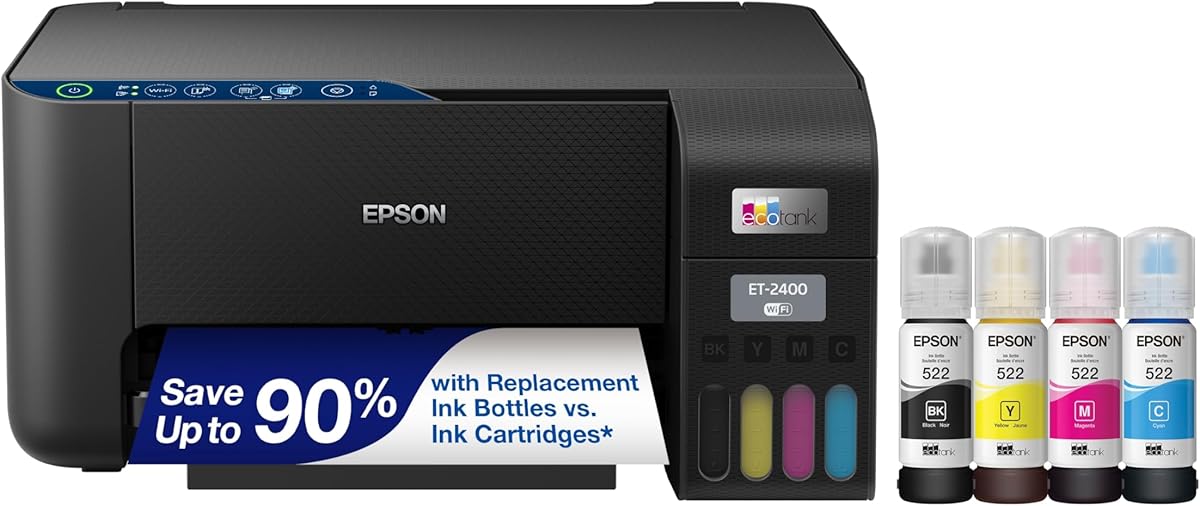
The Epson EcoTank ET-2400 is a wireless color all-in-one with a supplied rating of 4.0. Its refillable ink tanks, relatively high stated page yields, and support for sharp text and color images make it a sensible general-purpose printer for home users and paper-craft beginners.
We may earn a commission when you buy through this link, at no additional cost to you.
Each ink bottle set is stated to be equivalent to about 80 individual cartridges, with up to 4,500 black-and-white pages and 7,200 color pages. The high-capacity tanks can reduce interruptions, while Micro Piezo Heat-Free technology supports crisp documents and colorful photos and graphics across many paper types.
Like the other standard EcoTank models here, it does not use dye-sublimation ink and should not be used to make sublimation transfers. It can make decorative paper items, planner graphics, photographs, and educational projects, but those uses require a different product strategy than decorated apparel or coated drinkware.
The ET-2400 is a good match for a beginner who wants economical color documents and refillable ink without paying for a dedicated production printer. Choose the F170 for genuine personalized-product work, and consider this model when paper printing and scanning are the central requirements.
High-capacity tanks make ink management more predictable than small disposable cartridges. The stated page yields also help beginners estimate how often they may need to refill each color.
The printer supports photos, graphics, and sharp text on standard paper. These capabilities are useful for invitations, labels, worksheets, scrapbook prints, and other paper-based creations.
We may earn a commission when you buy through this link, at no additional cost to you.
The Sawgrass SG500 Starter Bundle is a dedicated dye-sublimation system with a supplied rating of 3.6. It targets custom apparel, drinkware, signage, and promotional products, combining the printer with 20ml SubliJet UHD cartridges in cyan, magenta, yellow, and black.
We may earn a commission when you buy through this link, at no additional cost to you.
It supports media up to 8.5 by 14 inches, and its bypass tray accommodates output up to 8.5 by 51 inches. MySawgrass gives beginners templates and an accessible online design environment, while Sawgrass Print Utility provides presets and color controls. Wi-Fi connectivity and printhead auto-maintenance add convenience and help support ongoing operation.
The rating is the lowest among the ten options, so potential buyers should examine customer feedback carefully and consider the support and workflow offered by the manufacturer. Another limitation is electrical compatibility: the supplied information specifically states that this printer is designed for standard 110/120V US and North American outlets.
Despite the lower rating, the starter format remains appealing to someone who wants professional-focused tools and software in a single package. It is best for beginners who have suitable electrical service, compatible products, and a realistic plan for adding transfer and pressing equipment as their skills develop.
MySawgrass offers a beginner-friendly route from blank canvas to printable layout. Templates can help users learn sizing, placement, and product preparation without starting from an entirely blank design workflow.
Printhead auto-maintenance is intended to reduce routine upkeep. It does not eliminate the need to follow ink, media, and cleaning instructions, but it can make the printer easier to maintain between projects.
We may earn a commission when you buy through this link, at no additional cost to you.
The Epson EcoTank Photo ET-8550 is a wide-format all-in-one with a supplied rating of 4.0. Its defining strength is photo-focused color printing through six-color Claria ET Premium inks, supported by an Epson high-accuracy printhead. It is intended for photographs, graphics, and broad creative projects.
We may earn a commission when you buy through this link, at no additional cost to you.
The refillable ink system is stated to provide up to 6,200 color pages, while Epson claims a low per-print cost for 4-by-6-inch photos compared with traditional cartridges. Scanning and copying make it a broader creative-office tool, and wireless connectivity supports a more flexible working arrangement.
It remains a conventional inkjet, however, and is not a dedicated dye-sublimation printer. The six-color configuration can create attractive photographs but should not be treated as an interchangeable substitute for CMYK sublimation ink. Using the wrong media or expecting ordinary ink to transfer permanently into coated goods would produce disappointing results.
Choose the ET-8550 when your priority is wide-format photography and high-quality paper output, potentially alongside scans and copies. If your goal is custom garments, tumblers, mugs, or signage, the F170 is the better match because its ink and print system are purpose-built for dye sublimation.
Six-color Claria ET Premium ink expands the tonal range available for photographs and detailed graphics. This is particularly helpful for large prints where smooth gradients and accurate-looking color transitions matter.
Printing, scanning, and copying broaden the machine's usefulness beyond photography. It can support design preparation and document workflows, though its ink remains intended for paper rather than sublimation transfer.
We may earn a commission when you buy through this link, at no additional cost to you.
The white Epson EcoTank ET-2800 combines refillable ink technology with scanning, copying, and wireless color printing. Its supplied rating is 4.0, placing it among the more highly rated general-purpose models in this comparison, though it remains outside the dedicated dye-sublimation category.
We may earn a commission when you buy through this link, at no additional cost to you.
High-capacity tanks and refillable ink bottles can print up to 4,500 black pages or 7,500 color pages according to the supplied information. The flatbed scanner, copier, and color display add document-handling value, while the white finish may complement a bright craft room or organized home office.
Its Micro Piezo Heat-Free technology supports sharp text and color photos on virtually any paper type. However, standard EcoTank ink is not dye-sublimation ink. The ET-2800 should not be used to prepare polyester transfer paper or decorated coated items for a heat press.
This model is best for a beginner who values recognizable all-in-one features, large tanks, and an attractive white enclosure. For actual sublimation production, move up to the Epson F170 or a Sawgrass SG500 bundle rather than treating the ET-2800 as a dedicated transfer printer.
The integrated tanks simplify ink replenishment and reduce the need to keep track of many small cartridges. That can be especially useful for frequent color printing and mixed personal projects.
A high-resolution flatbed scanner and color display make the ET-2800 useful for copying and navigation. Those functions add value for a creative desk even though they do not change its lack of dye-sublimation capability.
We may earn a commission when you buy through this link, at no additional cost to you.
The Epson EcoTank ET-2720 is a conventional wireless color all-in-one with a supplied rating of 4.4. It uses high-capacity refillable ink tanks and includes a flatbed scanner and copier, offering a simple combination of printing, document handling, and a compact color display.
We may earn a commission when you buy through this link, at no additional cost to you.
Its Micro Piezo Heat-Free technology produces sharp text and color photos and graphics on virtually any paper type. The cartridge-free approach avoids frequent disposable cartridge changes and is intended to reduce cartridge waste, making the machine straightforward for users who primarily print documents, worksheets, photos, and paper crafts.
Its notable limitation is that it does not use dye-sublimation ink. It cannot directly serve as the transfer printer for polyester garments, coated mugs, tumblers, or other products requiring a dedicated sublimation system. A separate compatible printer is necessary for that work.
The ET-2720 is a good general-purpose choice for a beginner who wants an approachable, wireless EcoTank printer with scanning and copying. If the purchase is specifically for a sublimation craft business, however, the F170 or SG500 will offer a much more direct route to compatible output.
High-capacity tanks and refillable EcoFit-style bottles reduce the recurring cartridge workflow. For a new user, this makes color printing more predictable and less dependent on replacing several small components at once.
The ET-2720 can produce sharp text and full-color graphics, but paper output alone does not create a sublimation product. Always verify the printer's ink type and intended application before assembling a personalized-goods workflow around it.
We may earn a commission when you buy through this link, at no additional cost to you.
The right beginner sublimation printer depends less on headline specifications than on compatibility with your products, expected volume, available workspace, and willingness to learn a dedicated ink-and-transfer workflow. These factors help prevent an expensive mismatch between the machine and your planned merchandise.
Choose a dedicated system for garments, drinkware, signage, and personalized gifts. Choose a conventional EcoTank model only for documents, photos, and paper projects.
Build your product list first, then verify substrate compatibility. A printer alone does not include every blank, transfer sheet, or press needed for a finished order.
Factor ink use, media needs, and expected output together. A larger included inkset may suit frequent users, while a small starter set can be sufficient for careful learning projects.
Match paper capacity and print dimensions to your products. Batch users should value enclosed feeding, while occasional users may not need maximum capacity.
Templates and presets can shorten the learning curve, but verify operating-system compatibility before buying. Familiar design software may matter more than a bundled web tool.
Budget time for cleaning and safe ink handling. Automatic features help, but they do not replace correct setup, maintenance, and storage practices.
Measure the full workspace and confirm electrical compatibility. A compact printer does not eliminate the space needed for transfer tools and inventory.
Prioritize a coherent starter bundle, clear instructions, and support. Save advanced upgrades until your product mix and production volume justify them.
Begin by reading the included guide and confirming that the printer, ink, media, and transfer application are compatible. Install the supplied software, connect the printer by its intended wired or wireless method, and perform any required ink initialization before designing. Use the correct media setting for every transfer type, and avoid changing several variables at once when troubleshooting a new substrate.
Design each image at the actual size of the finished product. Apply the recommended mirror setting for transfer workflows, leave the required margins, and preview the entire canvas before printing. Check that every element will remain within the printable area. After printing, allow the transfer to cool as directed, peel or release it according to the media instructions, and apply it with the correct temperature, pressure, and dwell time.
For maintenance, keep the ink system and printhead in regular use, follow the manufacturer's cleaning schedule, and use approved supplies. Keep media covered and store ink or cartridges properly. Do not leave the printer idle for long periods without following its prescribed cleaning procedure. If you see streaks, fading, uneven color, or repeated transfer issues, check ink delivery, media settings, product coating, and press technique before assuming the printer itself has failed.
A regular EcoTank printer should not be treated as a sublimation printer. The models in this guide that use EcoTank ink are intended for conventional paper printing, while the F170 and SG500 bundles are explicitly designed for dye-sublimation work. Their ink systems and intended outputs are not interchangeable, so use a dedicated model when producing compatible transfer paper or coated products.
The Epson SureColor F170 is the most straightforward all-in-one choice because it is purpose-built for dye-sublimation and includes genuine inks, a maintenance tank, and a paper tray. The Sawgrass SG500 bundles are strong alternatives for creators who value MySawgrass templates and a broader included starter setup. Your preferred software and planned product types should make the final decision.
For transfer-paper workflows on garments and many coated blanks, a suitable heat press is generally needed to apply heat and pressure after printing. Some products use other transfer methods or accept digitally printed decoration directly, so requirements vary. Check the manufacturer's instructions for each blank and never assume that printing alone completes the decoration process.
The Sawgrass SG500 supports media up to 8.5 by 14 inches in normal use, and its bypass tray can fit media up to 8.5 by 51 inches. The Epson F170 is designed as a compact desktop system with a 150-sheet auto-feed tray. Choose based on your actual product dimensions rather than on paper capacity alone.
Not with the Epson F170 based on the supplied specifications, which state that it is compatible with Mac and Windows desktops and laptops, requires internet access, and is not compatible with mobile devices. The SG500 includes wireless connectivity and web-based design resources, but confirm the current workflow and software requirements before planning to work entirely from a phone.
The Sawgrass SG500 bundles include access to MySawgrass for online design and templates, along with Sawgrass Print Utility for presets and process controls. The Epson F170 supports Mac and Windows computing environments and includes technical support from MakerFlo and Epson. Beginners may also use compatible third-party graphics software, but exact support should be verified with the current manufacturer documentation.
Store ink according to the instructions supplied by the manufacturer, with bottles or cartridges kept upright when directed and away from direct sunlight or temperature extremes. Sealed containers should be handled carefully to prevent leaks, and partially used supplies should be tracked so you can use them within the recommended period. The F170's auto-stop bottles are intended to simplify refilling, but they do not make incorrect storage safe.
Both bundles use the Sawgrass SG500 printer and include CMYK SubliJet UHD ink, paper, MySawgrass, and Sawgrass Print Utility. The 31ml Ink and Paper Bundle uses larger bottles, while the Starter Bundle specifies 20ml cartridges. Their included supply formats and ratings differ, so compare the quantities against your expected workload before selecting one.
The Epson SureColor F170 is the strongest overall choice because it is purpose-built for dye-sublimation, includes genuine inks, and offers a compact format with a 150-sheet auto-feed tray. The Sawgrass SG500 Ink and Paper Bundle stands out for a professional ecosystem, MySawgrass templates, and flexible media handling. The Epson ET-2803 is the budget-oriented pick for refillable everyday printing, but it is not a dedicated sublimation system.
Prioritize true dye-sublimation compatibility first, followed by the types of products you intend to make, software support, media width, ink format, and workspace. Beginners should also account for transfer media, compatible blanks, and pressing equipment because no printer alone completes the entire personalized-product workflow. A smaller included starter package may be sensible while you learn, whereas a higher-capacity bundle may better serve repeated production.
Customer ratings are useful signals, but they should be considered alongside verified specifications, support, electrical requirements, and current product availability. Product features and pricing can change, so check the latest listing and manufacturer guidance before making a final purchase.