
Android 16 Tablet with 256GB+1TB Expand
5.0Editor score
Built-in Gemini AI
36GB combined memory
256GB internal storage
1TB expansion support
Explore the best Tablet for AI Apps with comparisons of 10 models across processing power, AI tools, displays, battery life, storage, connectivity, and value.
A tablet for AI apps must balance more than raw processing power. Useful on-device assistants, cloud-connected services, enough memory for multitasking, a responsive display, dependable battery life, and room for downloaded models or large documents all influence the experience. The right choice depends on whether you create, study, work, or simply want convenient AI assistance.
We compared ten tablets using the supplied specifications, features, ratings, and product descriptions. The list covers Samsung Galaxy tablets, Android 16 models with Gemini, and budget-friendly options with expandable storage. We considered AI tools, processor capability, memory, screen size, battery, speakers, cameras, connectivity, portability, and included accessories without claiming hands-on testing.
Each pick demonstrates a different route into the category: capable premium hardware, a complete keyboard bundle, balanced everyday performance, or a lower-cost way to access AI features. Ratings and specifications can change as software evolves, so verify the current product listing before buying. Likewise, prices and promotional terms fluctuate, making timely comparison especially important.
5.0Editor score

5.0Editor score

5.0Editor score
The comparison below places all ten models on the same practical dimensions: memory, storage, display, AI support, battery, connectivity, and included tools. It highlights where each tablet stands out without treating any single specification as a substitute for real-world workload demands.

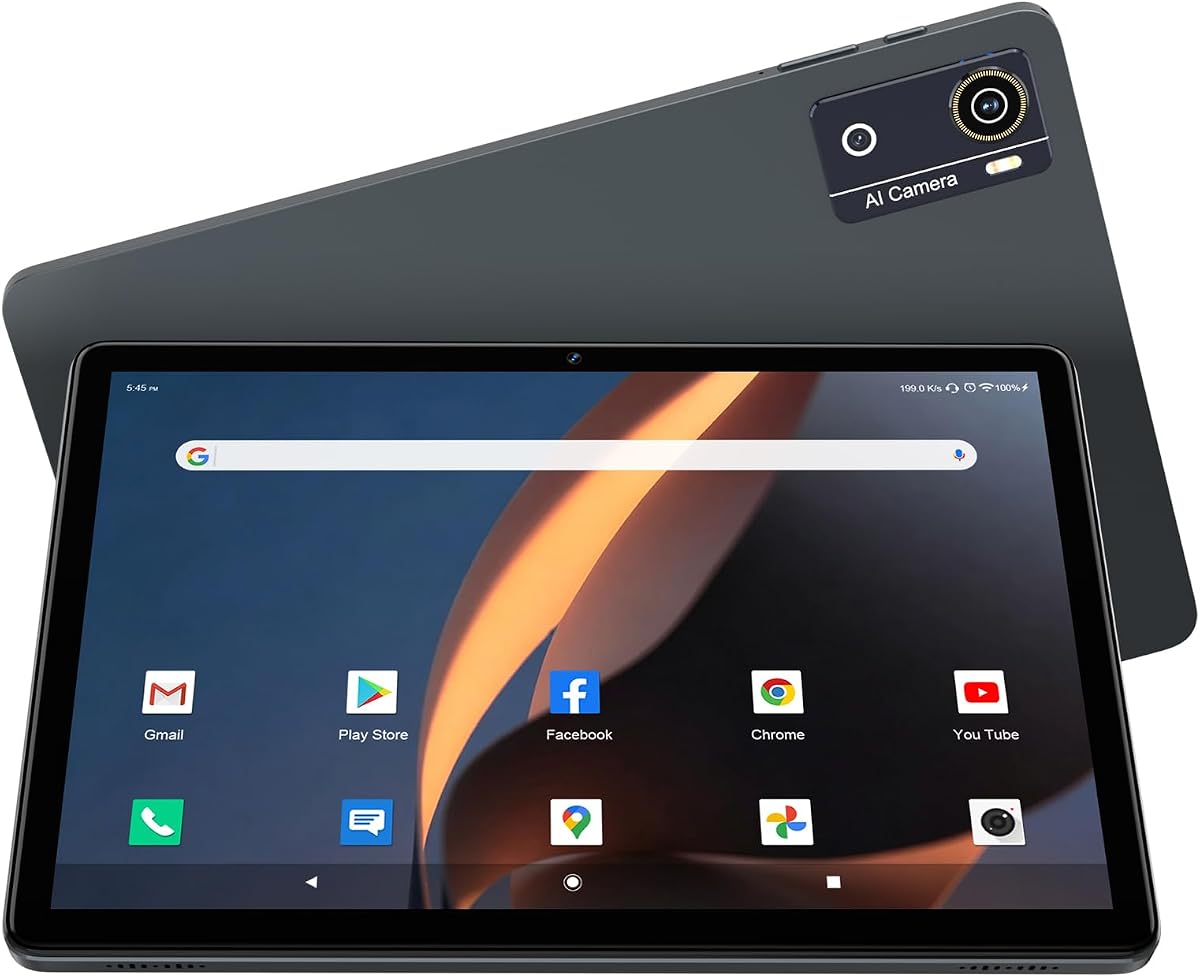


The Samsung Galaxy Tab A11+ 6GB configuration offers an approachable way to use AI without diving into the premium tablet market. It carries a 4.6 rating and combines Google Gemini, Circle to Search, a bright 11-inch screen, and a slim Samsung design. Those qualities make it especially useful for everyday questions, on-screen searches, reading, streaming, video calls, and family productivity.
We may earn a commission when you buy through this link, at no additional cost to you.
Its upgraded chipset is designed to keep routine tasks responsive, while 6GB of RAM provides a practical foundation for switching among browser tabs, messaging apps, Google Docs, and media. The 128GB storage configuration may feel modest for large app libraries or downloaded video, but expandable storage helps preserve flexibility. Fast charging and a long-lasting battery also suit users who want the tablet ready for work, classes, or travel.
The 90Hz refresh rate and quad speakers with Dolby Atmos add value beyond basic productivity. A larger screen gives AI-assisted reading, document review, and video collaboration more room, while enhanced clarity on the 5MP front camera supports calls. The principal trade-off is that buyers seeking maximum multitasking headroom may prefer one of the 36GB-memory models rather than this configuration.
Choose this Galaxy Tab A11+ when you want a recognizable Samsung ecosystem, dependable everyday specifications, and integrated AI assistance at a moderate level. It is particularly well suited to households that need one tablet for browsing, schoolwork, entertainment, and occasional Gemini-assisted drafting or summarization. For heavier creative workflows, a higher-tier Galaxy model would be more appropriate.
Gemini can support daily drafting, questions, and on-screen information retrieval, while Circle to Search reduces the steps needed to identify content in a visual. These tools are most effective when paired with a comfortable screen, reliable connectivity, and enough memory to keep reference materials and the assistant open together.
The 11-inch 90Hz display makes scrolling, reading, and streaming more fluid, while the quad-speaker system provides a stronger media experience than a single speaker. Combined with fast charging and expandable storage, the tablet works well as a shared family device.
We may earn a commission when you buy through this link, at no additional cost to you.
The 2026 Upgraded Android 16 tablet is an affordable option for users who want access to Gemini, Google Play, and familiar Android workflows. Its 4.2 rating reflects a broad feature set, including 12GB RAM, an octa-core Helio G80 processor, 5G WiFi, GPS, Bluetooth 5.0, face unlock, and dual cameras. It targets practical daily use rather than specialized high-end workloads.
We may earn a commission when you buy through this link, at no additional cost to you.
Gemini can assist with email drafts, article summaries, itinerary planning, and regular questions, while split-screen support allows two apps to remain visible. The processor is described as reducing common stuttering when moving between browser tabs and Google Docs. That makes the tablet appealing for students, commuters, and casual users who want AI assistance without committing to a premium device.
Storage is the principal compromise. The 64GB internal base is small by current standards, and while a TF card can expand capacity by up to 1TB, the card is not included. The 1280×800 IPS screen is also less detailed than the 2K or AMOLED alternatives in this list, though it remains suitable for standard streaming, reading, and web browsing.
Overall, this model is a sensible selection for budget-conscious buyers who prioritize memory, Google services, and Gemini over a high-end display or premium chassis. It is less compelling for detailed editing, dense documents, or color-sensitive creative work, but it provides a functional way to explore AI-assisted productivity in a familiar Android environment.
The strongest appeal is access to practical Gemini functions without a complex setup. Drafting, summarizing, planning, and split-screen work make the assistant more relevant to daily schedules. Google Play certification and GMS support also help when the tablet is used for standard productivity and communication apps.
Dual-band 5G WiFi, Bluetooth 5.0, GPS, and wireless screen casting provide useful flexibility. The Type-C port simplifies charging and data connections, although users who regularly handle large files may want to add TF card storage or keep cloud synchronization active.
We may earn a commission when you buy through this link, at no additional cost to you.
The 13 Inch Tablet with Keyboard stands out as the most complete productivity package in this roundup. It earns a 5.0 rating and combines a large 2K IPS display, 36GB of combined memory, 256GB of storage, Gemini AI, and a full set of productivity accessories. It is a compelling choice for users who want a tablet that can quickly become a compact workstation.
We may earn a commission when you buy through this link, at no additional cost to you.
Gemini is integrated directly into Android 16 for document summarization, email drafting, content creation, translation, and brainstorming. The broad viewing area helps when reviewing sources beside a generated answer or editing a document. Its UNISOC T615 octa-core processor supports routine multitasking, and the 10,000mAh battery is designed for extended work, study, travel, and entertainment.
The package includes a keyboard, mouse, stylus, foldable protective case, screen protector, charger, and USB-C cable. That eliminates much of the inconvenience of assembling a productive setup, although the accessories make the overall package less compact than a standalone tablet. The 36GB memory figure includes virtual memory, so buyers should understand the distinction while assessing sustained multitasking needs.
Choose this model for students, remote workers, writers, and anyone who wants Gemini-assisted workflows in a large-screen Android 2-in-1. It is particularly useful when document work matters more than mobile gaming or premium processing power. For the broadest functionality per purchase among the listed options, its included tools make it especially compelling.
The keyboard, mouse, and stylus support multiple working styles, while the 2K display offers enough room for documents, reference material, and communication windows. Switching into a PC-style arrangement can make Gemini-assisted research, writing, and administrative tasks more natural than on a small standalone device.
Built-in Gemini features focus on practical tasks such as summarization, translation, drafting, content creation, and idea generation. The stylus also makes handwritten annotation and sketching available, adding a useful path for students and creative users who prefer a more personal input method.
We may earn a commission when you buy through this link, at no additional cost to you.
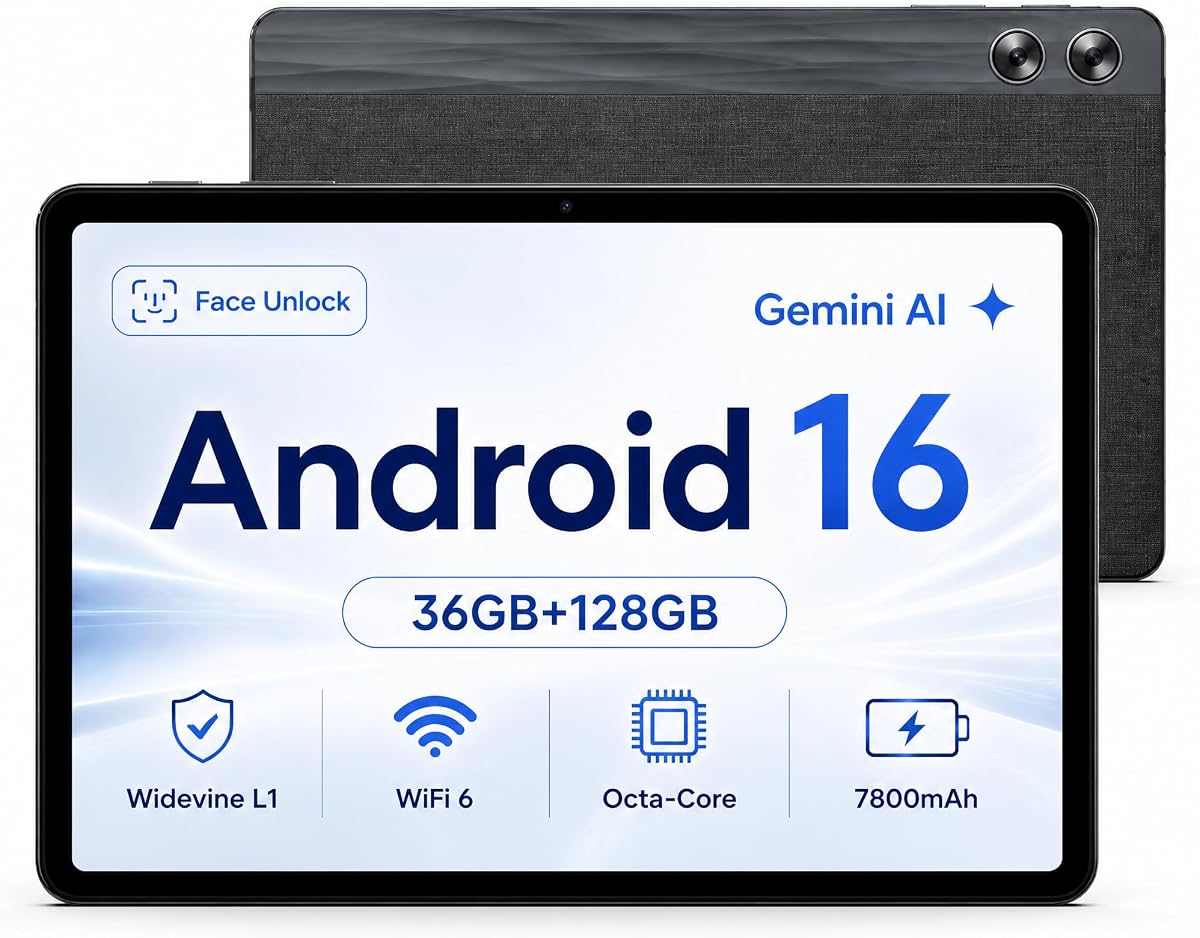
The Jeazans X7 is a strong Android 16 tablet for users who divide their time between streaming, reading, browsing, and AI-assisted summaries. Its 4.8 rating reflects a generous specification sheet, led by 36GB of combined memory, 128GB of built-in storage, an 11-inch in-cell display, Gemini AI, and Widevine L1 certification for HD streaming on major platforms.
We may earn a commission when you buy through this link, at no additional cost to you.
The advertised Gemini features include voice control, real-time translation, and AI summarization, which add value for students, readers, and multilingual users. Its octa-core processor and Mali-G57 MC1 GPU are intended for smooth daily multitasking. The 7,800mAh battery is claimed to support up to 68 hours of continuous use, making it a candidate for travel and long study sessions.
Its main limitation is display resolution. The 800×1280 panel is suitable for regular streaming and reading, but it lacks the fine detail of the 2K IPS panel on the 13-inch keyboard tablet or the richer AMOLED screens in Samsung's premium models. The 128GB internal capacity is also more modest than several alternatives, although microSD expansion up to 1TB fills the gap.
This is a good pick for buyers who value streaming certification, memory, battery capacity, and accessible AI features without needing a stylus or keyboard in the box. It also supports OTG, so a keyboard, mouse, or USB drive can be added when the task calls for a more conventional setup. Overall, it delivers a well-rounded entertainment and study experience.
Widevine L1 certification makes the tablet more relevant for HD video on popular streaming services, while the 11-inch display provides a comfortable canvas for books, articles, and notes. Dual amplified speakers add useful output for movies, podcasts, and music.
Voice control, real-time translation, and summarization cover common needs in accessible ways. Although the processor is not positioned as a flagship powerhouse, 36GB of combined memory gives the tablet ample room for everyday app switching and multiple productivity tools.
We may earn a commission when you buy through this link, at no additional cost to you.
The 8GB Galaxy Tab A11+ takes the familiar A11+ formula and adds more memory and storage than the 6GB model. With a 4.6 rating, it appeals to buyers who want a practical Samsung tablet for multitasking, media, calls, and AI-assisted routines without moving into the premium S-series tier.
We may earn a commission when you buy through this link, at no additional cost to you.
The 256GB configuration provides a much more comfortable starting point for app downloads, offline media, large files, and AI workflows that involve reference documents. Gemini and Circle to Search remain the main AI attractions, allowing users to ask questions, search visible content, draft text, and handle everyday information tasks with less friction.
The upgraded chipset, fast charging, and long-lasting battery support extended daily use. An 11-inch 90Hz display gives smooth scrolling and enough area for reading, streaming, and split-screen activity. Quad speakers with Dolby Atmos make it a capable entertainment device, although the screen remains an LCD-style family tablet rather than the Dynamic AMOLED 2X display found in higher Samsung models.
Choose this configuration if storage and memory are priorities within the Galaxy A11+ family. It is a better fit for users who keep many apps, work with sizable files, or download media for travel. Those wanting a bundled keyboard, included stylus, OLED color quality, or more advanced note tools should look toward the 13-inch keyboard tablet or Galaxy S-series models.
AI assistants become more useful when you can keep source documents, browser tabs, notes, and communication apps nearby. The 256GB storage allowance reduces pressure to delete files, while 8GB of RAM supports smoother switching than a more basic configuration.
The large 90Hz display and Dolby Atmos-equipped quad speakers make this tablet well suited to films, music, and casual gaming. Fast charging helps when the long battery is needed for travel or a full day of streaming.
We may earn a commission when you buy through this link, at no additional cost to you.
The AI Assist edition of the Galaxy Tab A11+ combines 8GB RAM, 256GB storage, and a slim, light design with Gemini and Circle to Search. Its 4.6 rating and 11-inch 90Hz display make it a flexible option for users who want AI help in a portable device that also handles streaming, browsing, reading, and communication.
We may earn a commission when you buy through this link, at no additional cost to you.
The main appeal is the combination of useful assistant access and a design intended to move easily between rooms or travel. Gemini can help with questions, drafting, and information organization, while Circle to Search provides quick access to contextual results from visible content. The upgraded chipset supports the responsive behavior expected for routine multitasking.
Its 256GB storage is more generous than many competing Android tablets, and fast charging reduces downtime when the battery is depleted. Quad speakers with Dolby Atmos add a clear benefit for media, and the 90Hz screen makes everyday interaction fluid. On the other hand, it does not provide the more advanced note, drawing, and display features of the Galaxy S11 or S12+.
This Galaxy Tab A11+ configuration is best for a buyer who prioritizes portability, familiar Samsung software, AI assistance, and media quality over stylus support or a bundled workstation. It is also a logical shared tablet for family use, since the large screen, ample storage, and strong speakers can handle varied entertainment and productivity needs.
Gemini can answer routine questions, help draft messages, and organize ideas, while Circle to Search makes on-screen research more direct. These features are particularly convenient when the tablet serves as a supplementary screen for travel, shopping, planning, or light work.
The slim, light construction supports use in a backpack or shared living space without the bulk associated with some 13-inch productivity tablets. Its fluid display and quad-speaker audio preserve a strong entertainment focus while the larger battery and fast charging support extended outings.
We may earn a commission when you buy through this link, at no additional cost to you.
The Jeazans Android 16 Tablet with Dock stands apart through its AI smart speaker dock, which combines charging, music playback, ambient lighting, a digital clock display, and a photo-frame function. The tablet itself has a 4.6 rating, 36GB of combined memory, 64GB of internal storage, a 10-inch IPS screen, and expansion up to 1TB.
We may earn a commission when you buy through this link, at no additional cost to you.
For a household that keeps a tablet on a desk, the dock can make it function as a central information and entertainment hub. Eight built-in white-noise environments support relaxation or focus, while music-synchronized lights create a more engaging visual experience. The AUMI AI OS clock screensaver and photo display add further utility when the tablet is not being used conventionally.
As a portable tablet, it offers Android 16, WiFi 6, Bluetooth 5.4, a 6,000mAh battery, dual-band connectivity, and 36GB of combined memory. The 1TB TF card expansion is useful for media and documents, but the card itself is not included. Users must also remove the protective film from the back before connecting the dock so that wireless charging functions properly.
Choose this model if you want one device to serve as both a movable AI tablet and an always-available home hub. It is less compelling for users who need the sharpest display, a keyboard, or a large internal storage allowance. Even so, the dock turns an otherwise ordinary Android tablet into a more distinctive multifunctional package.
The dock is more than a charger. It combines stereo sound, ambient lighting, a clock screensaver, white-noise environments, and photo-frame mode, allowing the tablet to remain useful between active work sessions. That makes it especially appealing for a kitchen, bedroom, office, or exercise area.
Android 16, WiFi 6, Bluetooth 5.4, and 36GB of combined memory support daily browsing, streaming, and multitasking. The 64GB base is limited, but TF card expansion gives owners a straightforward way to increase media and document storage.
We may earn a commission when you buy through this link, at no additional cost to you.
The Android 16 Gemini Tablet delivers one of the most compelling specification combinations in the guide for budget-focused buyers. It carries a 5.0 rating and includes 36GB of combined memory, 256GB of internal storage, 1TB of expansion support, Gemini AI, WiFi 6, Bluetooth 5.4, and a 10.1-inch IPS display.
We may earn a commission when you buy through this link, at no additional cost to you.
Its 2.0GHz octa-core processor is positioned for browsing, media streaming, casual gaming, and daily multitask operations rather than intensive 3D workloads. Gemini AI adds useful summarization, and Widevine L1 supports HD playback on mainstream streaming services. The combination of 256GB storage and 1TB expansion means users can keep a substantial local library without immediately reaching capacity.
The 36GB memory figure consists of 6GB physical RAM plus 30GB virtual memory. Virtual memory can improve practical multitasking by using storage as overflow, but it should not be treated as equivalent to dedicated physical memory in every workload. The 1280×800 screen is functional for reading and video, though it is less detailed than higher-resolution alternatives.
This is the best budget pick for users who want modern Android, Gemini, WiFi 6, and generous storage without paying for a premium tablet. It also suits students and casual professionals who need a secondary screen for notes, browsing, calls, and streaming. Adding a keyboard or stylus later can expand its usefulness, but neither is included.
Few lower-cost tablets combine 256GB of internal storage with support for up to 1TB of additional TF card space. That capacity is particularly helpful for offline video, large document collections, app libraries, and AI projects that require source files to remain available locally.
WiFi 6 and Bluetooth 5.4 improve the foundation for streaming, accessory pairing, and everyday wireless use. Dual speakers provide stereo audio, while Widevine L1 certification supports HD video on compatible mainstream services.
We may earn a commission when you buy through this link, at no additional cost to you.
The Galaxy Tab S12+ is the premium choice in this guide because it combines a 5.0 rating, MediaTek Dimensity 9500 processing, a Dynamic AMOLED 2X display, Galaxy AI, an included S Pen, and IP68 protection. It is designed for users who use AI as part of serious research, creation, note-taking, and multitasking rather than occasional assistance.
We may earn a commission when you buy through this link, at no additional cost to you.
Gemini Notebook is positioned as an AI research and thinking partner that analyzes supplied sources and helps transform complex material into clearer content. Note Assist can summarize, translate, and organize captured notes. Together with the S Pen, these features make the tablet well suited to research notes, lectures, meetings, and turning rough ideas into organized material.
The bright AMOLED 2X screen gives media, design work, and document review greater color depth and contrast than the IPS panels in the budget group. The processor is described as keeping gaming, streaming, multitasking, and AI workloads running smoothly. At 5.3mm thick, it remains portable, while IP68 resistance adds protection against water and dust during travel.
Choose the S12+ when you want a premium display, a capable processor, sophisticated Galaxy AI, and a stylus without sourcing accessories separately. It is ideal for creators, professionals, and students who will regularly annotate, summarize, research, and create. The tradeoff is the premium ownership cost, and buyers who need a physical keyboard should plan to add one separately.
Gemini Notebook can work with sources supplied by the user, analyze them, clarify complexity, and assist with transformations. Grounding AI in selected materials makes it more relevant for research, study, and professional preparation than generic conversational assistance alone.
The Dynamic AMOLED 2X display provides rich color and crisp detail, while the S Pen supports natural writing, sketching, and project development. The combination is especially valuable for visual thinkers and creators who want a more tactile alternative to typing.
We may earn a commission when you buy through this link, at no additional cost to you.
The Galaxy Tab S11 is a versatile premium Android tablet with a 4.6 rating, a large 11-inch Dynamic AMOLED 2X display, 12GB of RAM, 256GB of storage, Galaxy AI, an included S Pen, and IP68 protection. It is well suited to users who want advanced AI tools for notes and visual work without necessarily choosing the largest premium model.
We may earn a commission when you buy through this link, at no additional cost to you.
Note Assist with Galaxy AI can summarize, translate, and organize meeting and lecture notes captured with the S Pen. Drawing Assist can turn rough sketches into shareable mock-ups or transform note drawings into storyboards. Gemini Live can analyze what appears on the screen or is shared through the camera, extending the tablet's role as an interactive information tool.
The 12GB of physical RAM supports quick app switching and smoother workflows, while 256GB of storage and microSD expansion provide room for apps, files, movies, and music. The Vision Booster display feature is intended to improve text clarity and color, which is useful for long reading sessions. At 5.5mm thick, the device also remains reasonably portable.
Buy the S11 if you want premium Samsung styling, a strong display, a stylus, and integrated AI without moving to the S12+. It is especially suitable for students, designers, and professionals who take notes or create visual material. Those needing the newest processor and Gemini Notebook should compare the S12+, while keyboard-dependent office users should budget for a separate keyboard.
Note Assist gives captured ideas a practical next step by summarizing, translating, and organizing them. This makes the tablet useful in lectures and meetings, where the ability to condense and retrieve information can save more time than simply handwriting or typing every detail.
The AMOLED 2X display, 12GB RAM, and 256GB storage create a capable environment for media, apps, and creation. MicroSD support adds flexibility for offline files, while IP68 protection provides confidence during commuting, outdoor work, and travel.
We may earn a commission when you buy through this link, at no additional cost to you.
The best tablet for AI apps is not defined by an AI label alone. Processor capability, usable memory, storage, display quality, battery life, software integration, connectivity, and the type of work you want to complete should guide your decision.
Prioritize an assistant that fits your workflow rather than one with the longest feature list. A student may value translation and summarization, while a creator may prioritize visual analysis and natural stylus input.
Choose 8GB to 12GB of physical memory for comfortable everyday multitasking, and consider 36GB-class models when the listed allocation provides a higher physical component. Do not rely on virtual memory alone for intensive apps.
Prioritize at least 128GB for regular use and 256GB when you store media or work with large source files. Treat expansion as a useful backup rather than a reason to ignore device speed and available internal space.
Choose 2K or AMOLED for detailed creative and professional work. An HD panel remains suitable for standard streaming, web use, and casual AI assistance if portability and cost are more important.
For travel and heavy use, favor a larger battery and fast charging. For a desk-based tablet, the included charging dock may offer better day-to-day convenience.
Look for USB-C and modern Bluetooth as baseline features. Choose a bundled keyboard for productivity or plan to add one separately if you already own a compatible accessory.
Balance screen size against how often you will carry the tablet. Premium models are best when durability, an included stylus, and minimal accessory clutter justify the additional investment.
Begin by signing in to the required Google or Samsung account, installing Gemini or the relevant Galaxy AI features, and reviewing permissions for voice, camera, documents, and screen analysis. Personal files can help an assistant produce more relevant results, but users should control what information is shared and understand whether a feature processes content locally or through cloud services. Keeping the tablet updated also ensures that AI features, security controls, and app compatibility remain current.
Organize AI work by project. Create a dedicated folder for source documents, reference images, recordings, and final drafts, then use a consistent naming system so the assistant can retrieve the right material. Users of the Jeazans dock should remove the rear protective film before connecting it to ensure that wireless charging functions properly. With the 13-inch keyboard bundle, test touchpad, keyboard, mouse, and stylus settings before relying on the tablet for a deadline.
Protect the device by using its case or screen protector, keeping ports free of dust, and avoiding exposure beyond the manufacturer's stated limits. IP68 models provide stronger water and dust resistance, but they are not indestructible. Charge through compatible cables and adapters, avoid leaving the tablet in extreme heat, and periodically check free storage, app permissions, and software updates to preserve stable AI performance.
The best tablet for AI apps depends on the workload. The Galaxy Tab S12+ leads for premium AI, research, and creation, while the 13-inch keyboard tablet offers the most complete productivity package. The Android 16 Gemini Tablet is a strong budget-focused option. Consider the assistant features, memory, storage, display, battery, and whether you need a keyboard or stylus before choosing.
Eight gigabytes is a practical starting point for document assistance, browsing, messaging, and moderate multitasking. Twelve gigabytes or more provides more comfort when keeping several apps, browser tabs, media tools, and cloud services open. Check whether a listing expresses memory as physical RAM plus virtual memory, because that distinction affects how much multitasking headroom the device really has.
No. Gemini availability depends on the operating system version, regional software support, account settings, and the individual manufacturer. The models in this guide specifically list Gemini or related AI functionality, but you should verify the current feature set on the product page and after setup. Some features may also require a network connection or an eligible account.
Some device-assisted functions can operate locally, while many cloud-based AI features require an internet connection. The amount of offline functionality varies by app and device. For work involving confidential documents, review privacy settings and the service terms before uploading material, and use local storage or a trusted network when appropriate.
A keyboard is useful when you spend considerable time drafting, editing documents, responding to messages, or working in desktop-style software. The 13-inch tablet in this guide includes a keyboard, mouse, and stylus, making it immediately productive. Other models can still support external accessories through Bluetooth or USB, but those are generally purchased separately.
A 128GB configuration can work for lighter use, but 256GB is more comfortable when storing applications, offline documents, photos, videos, and source materials. Models with microSD or TF card support can expand capacity further. Remember that the included card is generally not part of the package, and virtual memory may also consume some of the available internal storage.
No. An IPS display can provide an effective AI experience, particularly for reading, web tools, and standard productivity. AMOLED screens offer stronger contrast, richer color, and better suitability for visual creation and premium media. Choose based on the rest of the system rather than assuming a higher-end display is required for AI assistance itself.
Confirm the exact AI features, account and regional requirements, physical memory, storage, battery behavior, connectivity, and included accessories. Also review the screen size and resolution for your reading or editing needs. Because software and product configurations can change, use the current product listing and manufacturer support information before making a final purchase.
The Galaxy Tab S12+ is the strongest premium option, combining a high-end AMOLED display, advanced Galaxy AI research and note tools, an included S Pen, powerful processing, and IP68 protection. The 13-inch keyboard tablet is the most versatile productivity package, while the Android 16 Gemini Tablet offers the best budget route into Gemini, modern connectivity, and generous storage.
Prioritize the features that will improve your actual workflow. Choose extra memory for heavy app switching, a larger high-resolution screen for reading and creation, expandable storage for files, and a keyboard or stylus when your work benefits from more precise input. On-device AI labels are useful, but productivity also depends on battery life, speakers, cameras, and seamless access to the apps and data you already use.
Before buying, verify the current specifications and feature availability on the live listing, especially for RAM composition, expansion support, and regional AI functions. Prices and promotional offers change, so compare the complete configuration rather than focusing on a headline figure or temporary discount. The right tablet for AI apps is ultimately the one that pairs capable assistance with the hardware and workflow support you will use every day.