
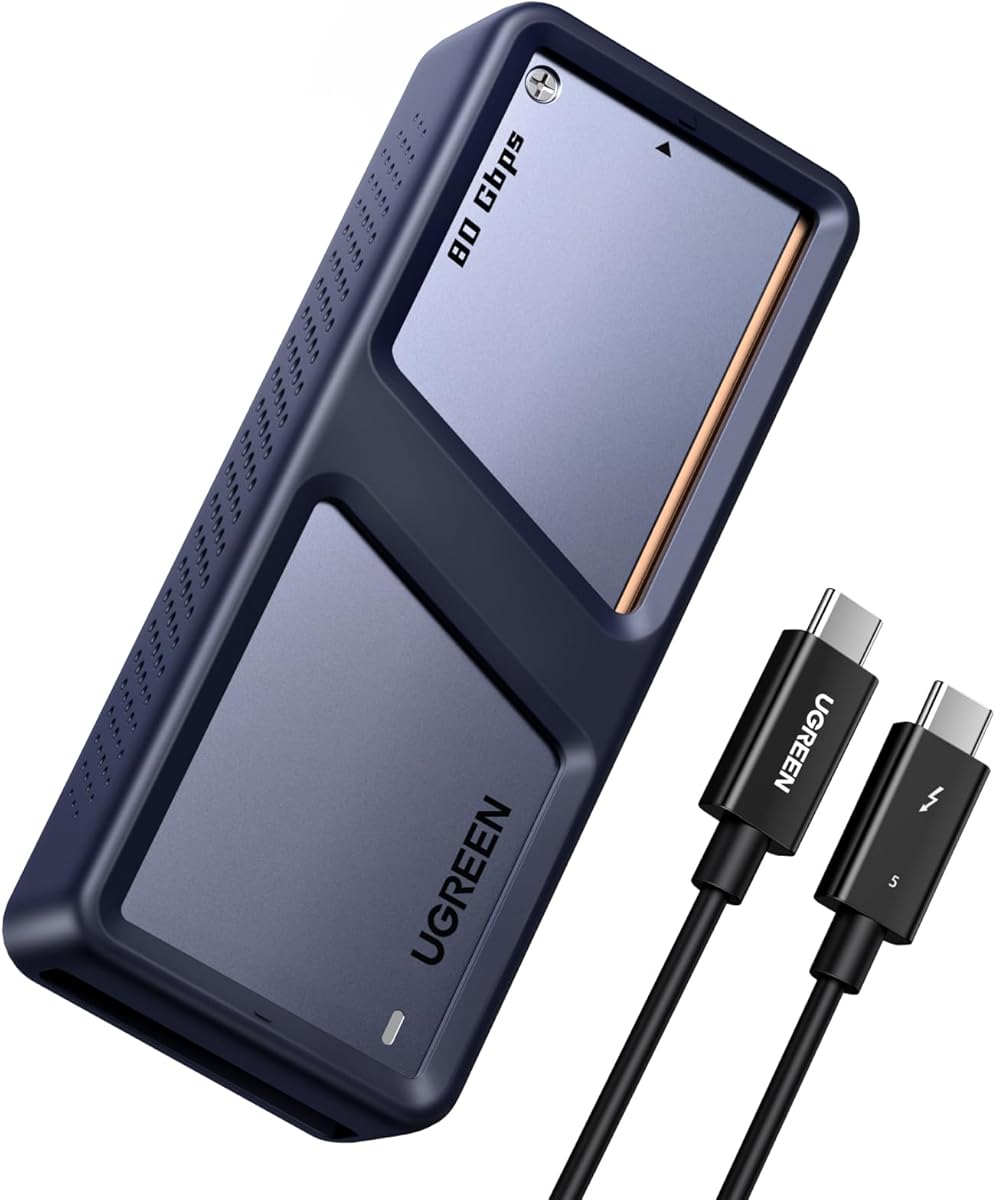
UGREEN 40Gbps M.2 NVMe Enclosure
4.3Editor score
Up to 3600 MB/s transfer
Silent passive cooling design
Supports drives up to 8TB
Works with major operating systems
Our Thunderbolt 5 SSD Enclosure guide compares speed, cooling, capacity support, power delivery, portability, and compatibility across 10 leading models.
A Thunderbolt 5 SSD enclosure can transform a compatible M.2 NVMe drive into exceptionally fast external storage, but the best results require attention to host ports, cables, cooling, and drive compatibility. The right enclosure should deliver the advertised bandwidth without becoming a bottleneck, while remaining practical for work, gaming, media, and travel.
This guide compares ten enclosures based on the supplied specifications, including interface generation, claimed transfer speed, thermal design, supported drive sizes, storage capacity, host support, power delivery, and physical design. It includes dedicated Thunderbolt 5 and USB4 options, portable enclosures, and a feature-rich desktop dock for buyers with different storage and connectivity needs.
Each review explains the strongest reasons to consider a model, along with its limitations and ideal owner. Ratings reflect the supplied product information, while product listings and prices can change. The top selections represent the strongest combinations of performance, specialized features, and value rather than a guarantee of identical results for every computer or SSD.
4.3Editor score

4.6Editor score

4.7Editor score
The comparison below highlights each enclosure's interface class, maximum claimed speed, cooling approach, and principal distinction, making it easier to identify the model that matches your computer, SSD, and intended workload.




The ACASIS 80Gbps M.2 NVMe SSD Enclosure combines a JHL9480 controller, support for PCIe 5.0 SSDs, and claimed read and write speeds of up to 6000 MB/s. Its 4.3 rating reflects a capable design that stands out for giving users both automatic and manual control over the internal cooling fan. It is a strong all-around choice for compatible Thunderbolt 5 and USB4 V2.0 systems.
We may earn a commission when you buy through this link, at no additional cost to you.
The enclosure's most useful feature is its intelligent fan. It starts automatically when the SSD reaches 55°C and stops after cooling to 40°C, while a one-second press of the switch can force it on during demanding transfers. That flexibility is valuable because sustained workloads can create more heat than a short burst test. The supplied thermal pads, silicone stoppers, size adapter, and 19.68-inch 80Gbps cable also make the package feel complete.
Compatibility is broad across current high-speed interfaces: USB4 V2.0 at 80Gbps, 40Gbps, USB4 V1.0, and USB 3.2, 3.1, and 3.0. However, it is explicitly not compatible with Thunderbolt 3 devices. Performance also depends on the installed drive. ACASIS advises using a PCIe 4.0 x4 NVMe 1.4 or newer drive to exceed 3000 MB/s, so an older or slower SSD can prevent the enclosure from reaching its full potential.
This is a good fit for content creators, editors, gamers, and power users who want fast portable storage without installing an internal drive. It is less suitable for Thunderbolt 3-only systems or anyone expecting a passive, fanless design. For a compatible modern computer, a suitable NVMe SSD, and occasional large transfers, it provides a practical balance of speed, cooling, and convenience.
Automatic temperature thresholds make the enclosure easy to maintain, while manual fan activation gives demanding users direct control. Keep the unit in a ventilated area and avoid unusually long continuous transfers when maximum stability is the priority.
The included 80Gbps cable, thermal pads, silicone stoppers, and SSD size adapter cover the essentials for installation. The tool-free design also reduces the amount of hardware required for a temporary external storage setup.
We may earn a commission when you buy through this link, at no additional cost to you.
UGREEN's 80Gbps M.2 NVMe SSD Enclosure is a high-performance option rated 4.6. Its unusual dual-chip design combines an Intel JHL9480 Thunderbolt controller with a JMicron JMS583 bridge controller, enabling claimed speeds of up to 7000 MB/s. The enclosure is built for users who want to push a PCIe 5.0 SSD hard while retaining a compact, travel-friendly aluminum body.
We may earn a commission when you buy through this link, at no additional cost to you.
Thermal design is a major strength. Dual-sided aluminum alloy biomimetic fins reportedly increase heat dissipation by 91%, while the enclosure's spatial structure is intended to reduce surface temperatures by 10%. The result is a more considered approach than simply adding a fan, particularly for users who expect to move large project files regularly. The enclosure also supports M.2 2230, 2242, 2260, and 2280 NVMe drives up to 8TB.
There are important caveats. It does not support SATA NGFF or mSATA drives, and SSDs with preinstalled heatsinks will not fit. Some unusually thick SSDs may also be too large for the enclosure, although the supplied guidance says replacing the thermal pad with a thinner one can resolve the fit. Compatibility includes Windows, macOS with the specified M5 Pro configuration, Linux, and Android.
This UGREEN model is best for a builder who already owns a fast NVMe drive and has a host that supports 80Gbps. It is less convenient for users who need SATA compatibility or a drive with a factory-installed heat spreader. Overall, the combination of a 4.6 rating, high claimed throughput, flexible drive sizes, and passive thermal engineering makes it a compelling premium enclosure.
Using separate Thunderbolt and bridge controllers allows UGREEN to pursue both high throughput and broad drive support. The architecture is aimed at performance-oriented setups where the enclosure, SSD, cable, and host all need to operate at their respective limits.
The fin-based aluminum structure is appealing for mobile and quiet workspaces. Buyers should still allow airflow around the enclosure and verify that their chosen SSD has a compatible physical profile before installation.
We may earn a commission when you buy through this link, at no additional cost to you.
The ACASIS TB501 Max stands apart with its combination of high-speed external storage and up to 60W Power Delivery charging. Its 4.7 rating is the highest among the listed products. Powered by the JHL9480 chip, it supports PCIe 5.0 SSDs and claims read and write speeds of up to 6000 MB/s, making it particularly useful for mobile workstations that want one connection for both data and power.
We may earn a commission when you buy through this link, at no additional cost to you.
The enclosure is designed for demanding workflows such as large transfers, content creation, gaming, and professional applications. Its built-in fan automatically adjusts cooling according to SSD temperature, removing the need for manual intervention during routine use. The package includes an 80Gbps cable, silicone stoppers, a size adapter, thermal pads, and a user manual, while installation is tool-free and requires no additional drivers.
There are limits to the power feature. A compatible laptop and host port are needed to use the 60W charging function, and the enclosure cannot charge a system that does not support the appropriate USB-C power-delivery arrangement. It also remains incompatible with Thunderbolt 3. As with other high-speed options, exceeding 3000 MB/s requires a PCIe 4.0 x4 NVMe 1.4 or newer SSD.
The TB501 Max is an excellent choice for a compatible Thunderbolt 5 or USB4 V2.0 laptop user who wants to simplify the desk setup while retaining fast storage. It is less suitable for Thunderbolt 3-only machines or buyers who do not need charging. For its core audience, the convenience of combining data and power outweighs the added complexity of a dedicated portable enclosure.
Powering a compatible laptop while accessing external storage can reduce cable clutter and simplify mobile workflows. The 60W rating is substantial enough to make the enclosure useful to professionals who regularly move between desks, meeting rooms, and editing locations.
The temperature-responsive fan supports consistent performance without requiring constant monitoring. Good ventilation remains important, especially during sustained transfers that keep the enclosure working near its stated speed ceiling.
We may earn a commission when you buy through this link, at no additional cost to you.
This ACASIS 80Gbps enclosure offers a 4.3 rating and a familiar set of high-end specifications. It uses the JHL9480 controller, supports PCIe 5.0 SSDs, and advertises read and write speeds of up to 6000 MB/s. The result is a direct Thunderbolt 5 and USB4 V2.0 storage option for modern laptops and desktops that need quick access to high-capacity NVMe storage.
We may earn a commission when you buy through this link, at no additional cost to you.
Its fan starts automatically at 55°C and stops at 40°C, and a one-second press can activate it manually. This is helpful during long file transfers because the enclosure can warm up under sustained load. The supplied guidance recommends manual activation, a ventilated location, and avoiding unusually long continuous transfers. A 19.68-inch 80Gbps cable, thermal pads, silicone stoppers, and an SSD size adapter are included.
The enclosure supports USB4 V2.0 at full 80Gbps and remains compatible with 40Gbps, USB4 V1.0, and USB 3.2, 3.1, and 3.0 connections. Thunderbolt 3 is not supported, which is an important limitation for owners of older systems. The SSD itself must also meet the appropriate generation requirement to exceed 3000 MB/s.
This model makes the most sense for users who want high bandwidth, active cooling, and broad compatibility with current and older USB devices. Buyers who only need a basic portable enclosure may find it excessive, while Thunderbolt 3 owners should choose another product. Otherwise, it is a capable and straightforward way to unlock modern NVMe performance.
Although full speed requires an 80Gbps connection, backward compatibility lets the enclosure operate across several USB generations. This makes it easier to move between a current workstation and a computer with a less capable port.
A removable NVMe drive can serve as a flexible bridge between internal and external storage. The enclosure's simple installation and included thermal components help keep setup straightforward.
We may earn a commission when you buy through this link, at no additional cost to you.
UGREEN's fan-equipped 80Gbps enclosure is a portable option with a JHL9480 controller and a claimed theoretical speed of up to 7000 MB/s when used with compatible Thunderbolt 5 hardware. Its 4.0 rating is adequate, though lower than several other models in this guide. The product is aimed at builders who understand that the enclosure, SSD, cable, and host port all influence the result.
We may earn a commission when you buy through this link, at no additional cost to you.
Aluminum construction provides the primary heat dissipation, while the internal cooling fan activates when the temperature reaches 40°C. This threshold is lower than the 55°C activation point listed for the ACASIS models, which may be useful for keeping the drive in a preferred thermal range. The enclosure supports 2280 PCIe 5.0 M.2 NVMe M-Key and M-Key variants, with capacity up to 8TB.
Its compatibility list is broad, covering Windows, Linux, macOS configurations, Thunderbolt 5, Thunderbolt 4, Thunderbolt 3, USB4, and several USB generations. The specifications include a macOS 15 condition for using Thunderbolt 3, and full 80Gbps operation still requires Thunderbolt 5 or newer cables and interfaces. The product does not support M.2 B-Key or M&B-Key SATA NGFF drives.
The slim aluminum body and included silicone case make this a practical travel enclosure. It is best for users with Thunderbolt 5 hardware and a compatible M-Key NVMe drive, particularly those who want active cooling and an eight-terabyte ceiling. It is less attractive for SATA-drive compatibility or buyers who prioritize the highest current customer rating over the feature set.
The combination of an aluminum shell, a temperature-triggered fan, and a protective silicone case balances performance and portability. The case adds protection during transport without changing the enclosure's underlying storage capability.
Reaching the highest listed speed requires a compatible Thunderbolt 5 port, suitable cable, and sufficiently fast NVMe drive. Older Thunderbolt and USB connections will reduce bandwidth, so buyers should evaluate the entire connection path.
We may earn a commission when you buy through this link, at no additional cost to you.
The UGREEN 40Gbps M.2 NVMe Enclosure offers a more accessible route to fast external storage. It has a 4.3 rating, uses an ASM2464PD chip, and can reach a claimed 3600 MB/s when paired with Thunderbolt 4 hardware and a suitable cable. Although it is not a full 80Gbps model, its performance remains high enough for demanding external storage tasks.
We may earn a commission when you buy through this link, at no additional cost to you.
The cooling system uses a double-sided fin design and a three-dimensional structure intended to provide several times the heat dissipation of a standard enclosure. Because it is fanless, it also avoids fan-noise concerns and potential fan lifespan issues. This makes the model appealing for quiet offices, editing rooms, and portable setups where acoustic discretion matters.
It supports 2230, 2242, 2260, and 2280 NVMe drives up to 8TB, along with Windows, listed macOS configurations, Linux, and Android. SATA NGFF and mSATA drives are unsupported. Some SSDs may be too thick, and the product guidance recommends replacing the thermal pad with a thinner one if the drive does not fit or operate normally.
This enclosure is a sensible choice for buyers who already use Thunderbolt 3 or 4 and want high throughput without paying for an 80Gbps model. It is not the right choice when the goal is specifically to maximize the newest interface's bandwidth. For value-conscious users, however, the combination of 3600 MB/s performance, silent cooling, and broad drive support is compelling.
The passive aluminum cooling system avoids the constant hum associated with a small fan. It is particularly attractive for recording, editing, and other environments where mechanical noise can be distracting.
The 40Gbps interface is widely available on current premium laptops and can approach the performance of older Thunderbolt 4 storage. It gives buyers strong performance without requiring the very latest 80Gbps host hardware.
We may earn a commission when you buy through this link, at no additional cost to you.
The Satechi Thunderbolt 5 CubeDock is much more than a conventional SSD enclosure. It combines an M.2 NVMe storage bay with a full desktop docking platform, 140W host charging, 30W USB-C Power Delivery, 2.5 Gb Ethernet, USB-A and USB-C connectivity, and UHS-II SD and microSD card readers. Its 4.0 rating reflects a specialized product aimed at professional desk setups.
We may earn a commission when you buy through this link, at no additional cost to you.
The built-in enclosure accepts M.2 PCIe 4×4 NVMe SSDs up to 8TB and provides claimed speeds of up to 6000 MB/s. A vented aluminum body and adaptive cooling system support long renders, backups, and gaming sessions, with a listed operating range of 20–40 dB(A). Display options include single 8K 144Hz, dual 8K 120Hz, and triple 8K 60Hz arrangements on Windows.
The dock requires more space and setup than a slim travel enclosure. It also needs a host with appropriate Thunderbolt 5 capabilities, and the NVMe SSD is not included. macOS display support is listed for M3, M4, and M5 systems with dual 6K 60Hz output, which differs from the available Windows configurations. A 180W power supply, Thunderbolt 5 cable, screwdriver, screws, and thermal pads are included.
This product is best for a permanent workstation that needs displays, charging, networking, card readers, and high-speed external storage in one hub. It is overkill for a simple laptop upgrade or travel kit. Buyers who value a clean, consolidated desktop ecosystem may find the specialized feature set more valuable than the lower price of a dedicated enclosure.
The CubeDock reduces the need for several separate adapters by combining storage, display management, network access, card readers, and charging. That consolidation is its primary advantage over a standalone enclosure.
With high display bandwidth, 140W host charging, and integrated NVMe storage, the dock targets creators, designers, and power users. Its aluminum design and included power supply also reflect a desk-based rather than ultraportable use case.
We may earn a commission when you buy through this link, at no additional cost to you.
SABRENT's EC-U4TN is a 40Gbps USB4 enclosure with a 4.5 rating. It claims transfer speeds of up to 3900 MB/s over USB4 and up to 2700 MB/s with Thunderbolt 3 or 4. It remains compatible with USB-C ports operating at 20, 10, and 5Gbps, making it a flexible choice for creators and mobile professionals who do not require full Thunderbolt 5 bandwidth.
We may earn a commission when you buy through this link, at no additional cost to you.
The tool-free installation system accepts PCIe NVMe SSDs in 2230, 2242, 2260, and 2280 formats. An integrated active cooling fan and a combination of aluminum and ABS construction help maintain speed during large transfers. The product is bus-powered and does not require external power, while its plug-and-play operation avoids additional driver installation on supported Windows and macOS systems.
SATA M.2 SSDs are not compatible, so buyers need a PCIe NVMe drive. The product is optimized for PCIe Gen4 x4 drives, including the Sabrent Rocket 4 Plus, and does not advertise the same 80Gbps performance as the leading enclosures in this guide. Thunderbolt 3 and 4 remain useful host options, but the headline speed is tied to USB4 operation.
The SABRENT is most appropriate for a creator who wants fast external storage, straightforward installation, and a cooling fan without moving to the newest 80Gbps standard. It is a strong fit for Thunderbolt 3 and 4 users. Buyers specifically seeking Thunderbolt 5 bandwidth or a future-oriented 80Gbps enclosure should look elsewhere.
The enclosure's installation design reduces setup time and removes the need for a screwdriver. This is especially useful for users who move between computers or temporarily turn an internal NVMe drive into portable storage.
The integrated fan helps control heat during sustained transfers. It makes sense for systems that can use USB4 bandwidth and is a practical complement to fast PCIe Gen4 SSDs, which are the product's intended drive class.
We may earn a commission when you buy through this link, at no additional cost to you.
OWC's Express 1M2 80G is a portable USB4 enclosure rated 4.5. It advertises more than 6000 MB/s peak real-world speed and can house PCIe 3.0, 4.0, or 5.0 NVMe M.2 drives. The option to select 2280 or 2242 capacity gives buyers flexibility for both larger libraries and more compact storage configurations.
We may earn a commission when you buy through this link, at no additional cost to you.
Its patented heat-dissipating design is intended to protect the SSD while maintaining consistent performance without the noise of an active fan. The enclosure is bus-powered through the included USB4 cable, eliminating the need for a separate power supply. That makes it convenient to move between a desktop, Mac, PC, iPad Pro, Chromebook, or Surface device that supports the appropriate connection.
The most important caveat concerns PCIe Gen5 power consumption. OWC recommends selecting a Gen5 SSD that consumes 11 watts or less during sustained reads or writes because the power available from host computers, docks, and hubs can be limited. Even a high-performance enclosure cannot compensate for a drive or host that cannot supply sufficient power.
This is a strong choice for a portable 80Gbps workflow where silent operation and flexible SSD selection matter. It is particularly suitable for creative professionals moving between compatible devices. Buyers should verify host port capabilities and drive power requirements, but the enclosure itself offers a polished, broad compatibility story.
The passive thermal design avoids fan noise during travel and shared workspaces. It is well suited to users who want fast storage without adding another audible component to a compact setup.
The enclosure supports PCIe Gen5 drives, but the host's power delivery can constrain sustained performance. Selecting a lower-power SSD or using a direct host connection can prevent thermal or power-related throttling.
We may earn a commission when you buy through this link, at no additional cost to you.
This all-metal 80Gbps enclosure uses the JHL9480 chipset and advertises a theoretical transfer rate of up to 7039 MB/s. It supports Thunderbolt 5, Thunderbolt 4, Thunderbolt 3, and USB4 devices, making its host-interface range broader than that of many 80Gbps competitors. Its 3.6 rating is the lowest in the group and should be weighed carefully against the specification sheet.
We may earn a commission when you buy through this link, at no additional cost to you.
The design is focused around 2280mm M-Key NVMe SSDs with capacity up to 8TB. A PCIe 4.0 x4 NVMe 1.4 or newer drive is recommended for speeds above 3000 MB/s, while PCIe 5.0 SSDs are not recommended by the manufacturer. Its aluminum shell, thermal pads, and automatic fan that activates at 40°C form a three-part thermal strategy.
Unlike several other products in the guide, it is not listed as backward compatible with USB 3.2, 3.1, or 3.0. Thunderbolt 3 and 4 connections are limited to 40Gbps, while full 80Gbps requires a host and cable supporting the appropriate Thunderbolt 5 protocol. The limited 2280 M-Key support also means it is less flexible for owners of smaller 2230, 2242, or 2260 drives.
The product makes sense for a user with a 2280 NVMe drive who values a compact, metal, actively cooled enclosure and has modern host hardware. Its specialized drive support and narrower backward compatibility make it less attractive for general-purpose travel storage. Prospective buyers should compare the listed rating and constraints against alternatives before making a final choice.
The enclosure is optimized for a specific setup: a 2280 M-Key NVMe SSD connected to a modern Thunderbolt 5 or USB4 host. Once that chain is in place, the listed 7039 MB/s ceiling gives it considerable theoretical throughput.
The aluminum shell and thermal pads work with a fan that starts at 40°C to manage sustained heat. Buyers should still leave the enclosure exposed to airflow rather than placing it inside a fully enclosed pocket or compartment.
We may earn a commission when you buy through this link, at no additional cost to you.
The right enclosure depends on the entire connection chain, including the SSD, host port, cable, operating system, cooling needs, and intended portability. These factors determine whether a model can use its full bandwidth and fit comfortably into your workflow.
Thunderbolt 5 and USB4 V2.0 are the most relevant interfaces for reaching 80Gbps, but the label alone does not guarantee full performance. Your computer must expose a compatible port, the cable must support the required bandwidth, and the enclosure's controller must negotiate that connection correctly. A Thunderbolt 4, Thunderbolt 3, or conventional USB-C port may operate the enclosure at lower speeds even when the enclosure itself supports 80Gbps.
Choose a model that explicitly supports the ports and protocols available on your devices. If you regularly move between several generations of hardware, an enclosure with broader backward compatibility may be more useful than one offering only the highest headline speed.
These products are designed primarily for M.2 NVMe drives, and many do not accept SATA NGFF or mSATA SSDs. A drive with a preinstalled heatsink may also be too large for the enclosure even when its connector and capacity are supported. Check the supported M-Key format, physical length, thickness, and maximum capacity before buying.
In short, verify the drive's connector, dimensions, and protocol before ordering. Compatibility with a general M.2 label is not enough; several enclosures in this guide accept only specific NVMe layouts.
Advertised speeds describe a theoretical ceiling under suitable conditions. The SSD, enclosure, cable, computer, file sizes, thermal state, and host bus all influence the result. ACASIS advises using a PCIe 4.0 x4 NVMe 1.4 or newer SSD to exceed 3000 MB/s, while some PCIe Gen5 drives may exceed the sustainable power available from certain hosts.
Prioritize the speed you can actually achieve rather than the largest printed figure. A lower theoretical enclosure paired with a suitable host may deliver a better experience than an 80Gbps model connected through an older port.
Short file transfers do not stress an enclosure as heavily as continuous backups, video exports, or sustained reads. Passive aluminum designs can work well for many portable applications, while active fans provide additional control for long workloads. Fan noise, automatic thresholds, manual override, physical venting, and the quality of the thermal interface all contribute to the experience.
Choose active cooling for frequent high-volume transfers and passive cooling for quiet or compact use. Whichever design you select, leave adequate ventilation and follow the manufacturer's guidance during extended operation.
Most of the enclosures reviewed support NVMe drives up to 8TB, which is ample for many working libraries and portable game collections. Capacity support is valuable when the enclosure can accept a larger SSD later without changing the device itself. It does not mean the enclosure includes storage, however, because none of the listed products is described as including an SSD.
Choose an enclosure with a stated capacity ceiling above your expected needs. Also consider whether your workload benefits more from one large drive or several smaller interchangeable drives.
The ACASIS TB501 Max adds up to 60W Power Delivery, while the Satechi CubeDock combines storage with extensive dock features and 140W host charging. These products are useful when a laptop must remain powered through a single connection. A simpler enclosure is usually more portable and may operate entirely through bus power.
Decide whether charging is essential before paying for a more specialized design. Verify that your computer supports the relevant USB-C power-delivery behavior and that the enclosure's host port can negotiate both data and power.
Slim aluminum shells, silicone cases, tool-free installation, and included cables make an enclosure easier to carry between locations. A desktop dock is better suited to a permanent desk because it offers more ports but occupies more space. Larger thermal hardware may also be less convenient for travel.
Prioritize a compact enclosure for mobile use and a dock for a fixed workstation. Check whether a tool-free design or removable screws better match your comfort and how often you expect to change SSDs.
Confirm that the enclosure supports your SSD's M.2 format, length, key, thickness, and capacity before opening it. Install the drive according to the manufacturer's orientation instructions, attach the supplied thermal pad where applicable, secure the enclosure, and connect it with a cable that matches the host port and desired speed.
Format the new drive using the file system and operating system tools appropriate for your devices. Copy important data before changing partitions, and maintain at least one separate backup of irreplaceable files. When ejecting the drive, use the system's safe-removal function rather than unplugging it during an active transfer.
For sustained workloads, keep the enclosure in a ventilated position and use its fan controls as directed. Monitor temperatures if the drive slows unexpectedly, and give it time to cool before resuming a large transfer. Protect the connector from dust and moisture, avoid forceful cable insertion, and store the enclosure in a protective sleeve when carrying it.
No. A Thunderbolt 5 computer can use many compatible USB4, Thunderbolt 4, Thunderbolt 3, and USB-C enclosures. The device will simply operate according to the lower interface and speed supported by the enclosure and cable. A Thunderbolt 5 enclosure is most useful when you want to take advantage of an available 80Gbps host connection.
ACASIS specifies a PCIe 4.0 x4 NVMe 1.4 or newer SSD for speeds above 3000 MB/s. A slower drive can be installed, but it will limit the result. You also need a compatible host port, cable, and enough sustained power and cooling to avoid throttling.
The listed models are NVMe enclosures and generally do not support SATA NGFF or mSATA drives. Some also restrict support to particular M-Key lengths. Always confirm the enclosure's drive-format list before purchasing, particularly if your existing SSD uses a SATA interface or includes a factory-installed heat spreader.
Most of the listed Thunderbolt 5 and 80Gbps enclosures support Thunderbolt 4, but the available bandwidth will be lower. The ACASIS TB501 Max is also listed as backward compatible with 40Gbps, USB4 V1.0, and several USB 3.x standards. The all-metal 80Gbps model is not listed as compatible with USB 3.x.
The dedicated portable enclosures are generally bus-powered and draw power through the host connection. The Satechi CubeDock includes a 180W power supply because it also provides substantial dock charging, and the ACASIS TB501 Max supports 60W charging while acting as an enclosure. Always use the included or specified power accessories.
No. Those figures are theoretical or claimed maximums, not guaranteed real-world transfer rates. The SSD, host interface, cable, file size, operating system, drive temperature, and host power limits all affect the result. A sustained transfer may also settle below the headline figure as the system balances heat and power.
The ACASIS and SABRENT products described in the guide are plug-and-play and do not require additional drivers. Operating systems should recognize a standard NVMe drive once it is formatted. If a drive is not detected, check physical fit, protocol compatibility, cable routing, and whether the system needs a restart after installation.
A fanless enclosure is quieter, simpler, and often easier to carry because it has fewer moving parts. An active fan can be advantageous for sustained high-speed transfers where additional cooling helps maintain performance. The best choice depends on whether quiet operation or maximum thermal headroom matters more in your workflow.
The UGREEN 80Gbps dual-controller enclosure stands out for its 7000 MB/s claimed performance, 4.6 rating, flexible M.2 size support, and sophisticated passive cooling. The ACASIS TB501 Max is the premium choice when combining storage with 60W charging, while the UGREEN 40Gbps model provides the most budget-conscious route to strong USB4 performance.
Before choosing, prioritize the connection chain rather than the largest speed number. Confirm host-port generation, cable capability, SSD protocol and dimensions, thermal requirements, and the need for charging or broader legacy compatibility. The all-metal 80Gbps model offers a high ceiling but has narrower drive and USB backward-compatibility requirements, while the Satechi CubeDock is best viewed as a complete desktop platform.
Finally, check the current listing details before ordering, since prices, availability, and product revisions can change. The included ratings are useful context rather than a substitute for checking the enclosure's current specifications and ensuring that the SSD and host equipment form a compatible, adequately cooled setup.