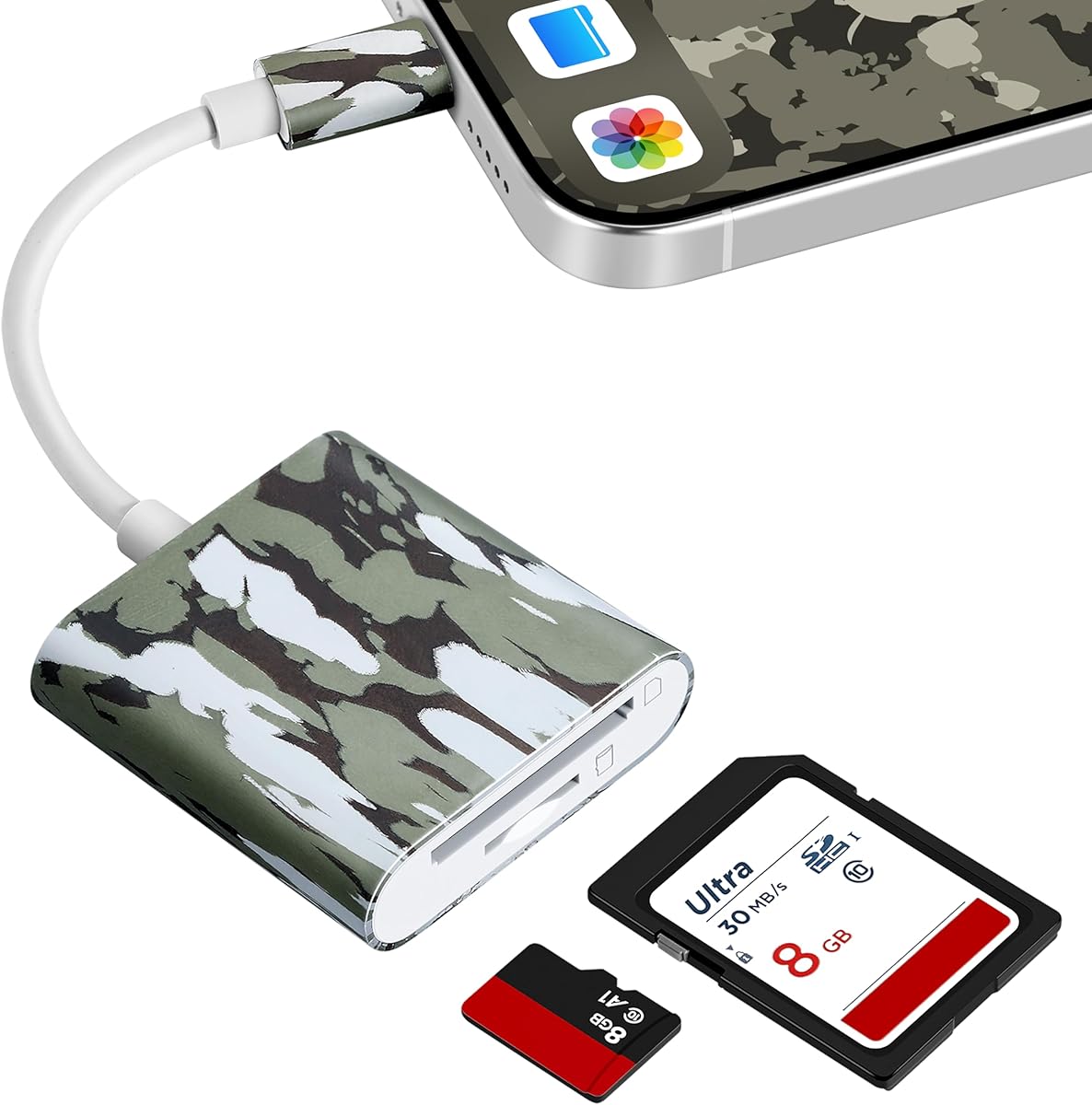
Trail Camera Viewer for iPhone 15 or Later and Android
4.4Editor score
Direct phone file access
No app or Wi-Fi required
Broad modern device support
A trail camera card reader makes it easier to review wildlife photos and videos without returning home or relying on Wi-Fi. The right choice depends on whether you prefer a compact phone adapter, a dedicated screen, broad connector support, or a larger device designed for managing large card libraries.
We compared all ten options by examining device compatibility, supported card types and capacities, display or connection style, file-management features, portability, and suitability for outdoor use. The list covers direct USB adapters, standalone LCD viewers, and hybrid readers for iPhone, iPad, Android, Mac, and computer workflows.
Each review explains the features that distinguish its reader from the alternatives and identifies the user most likely to benefit from it. Ratings reflect the supplied customer feedback, while availability and pricing can change, so readers should confirm current specifications and offers before purchasing.
4.4Editor score

4.9Editor score

4.3Editor score
As an Amazon Associate we earn from qualifying purchases.
This side-by-side comparison highlights each reader's connection style, display, card support, capacity limits, and practical strengths so you can quickly identify the option that fits your phone, computer, and field-review routine.


This compact USB-C reader offers one of the most straightforward ways to move trail camera media onto a modern phone. Its 4.4 rating reflects generally positive customer feedback, while its defining qualities are direct connectivity, immediate viewing, and a workflow that does not depend on Wi-Fi, cellular service, or a separate application.
We may earn a commission when you buy through this link, at no additional cost to you.
The adapter is designed for iPhone 15 and later models, MacBook systems, and Android devices with USB-C and OTG support. That makes it especially useful for hunters who already rely on a recent phone to sort wildlife photos, save clips, and share selected images. It supports the common process of viewing, saving, sharing, and deleting game camera files directly from the card.
Its limitations are tied to connection standards. It will not serve owners of older Lightning-based iPhones, and Android compatibility depends on the phone supporting USB-C OTG correctly. The product also does not provide its own display, so phone size, screen readability, and available storage influence the experience more than they would with a standalone viewer.
This is a strong choice for value-conscious users who want a simple, dedicated trail camera reader without carrying a separate screen. It is particularly suitable for quick stand checks, provided your phone meets the stated requirements. Buyers with mixed device ecosystems or older phones should instead consider one of the multi-interface adapters or dedicated LCD viewers.
The reader is designed for immediate access to photos and videos without Wi-Fi or cellular service, which is useful in remote hunting areas. It turns a compatible phone into the viewing screen and keeps the process focused on the card's contents.
You can browse, save, share, or delete captured files after connecting the adapter. This direct workflow reduces the number of separate devices and accessories needed for a routine trail camera check.
We may earn a commission when you buy through this link, at no additional cost to you.
The Muddy CRV3 HD is a self-contained field viewer for hunters who would rather not depend on a phone screen. It carries a 4.2 rating and combines a 4.3-inch color LCD, SD card slot, 1080P video playback, and a water-resistant housing in a portable package built for outdoor conditions.
We may earn a commission when you buy through this link, at no additional cost to you.
Its controls support viewing, transferring, and deleting files, while adjustable brightness and volume make the screen and audio more practical in changing light. The headphone jack provides a private way to review recorded sounds, and the included wrist lanyard helps keep the viewer secure while walking or working around a stand.
The main constraint is its 32GB card limit, which may be less useful for trail cameras that record frequent high-resolution video. It also needs four AA batteries, which are not included, so you should carry spares for extended outings. Micro USB connectivity adds another transfer option, but the cable is not listed among the supplied accessories.
Choose the CRV3 when a dedicated, battery-powered screen and rugged housing matter more than support for newer high-capacity cards. It is a practical match for hunters who want dependable offline viewing, adjustable playback, and basic file management without carrying a phone or tablet.
A dedicated 4.3-inch color display gives wildlife photos and 1080P videos a consistent viewing surface. Adjustable brightness and volume help tailor the experience to different environments and recorded content.
The water-resistant housing and wrist lanyard suit field use where drops, moisture, and rough handling are likely. A micro USB port also provides a path for transferring files to another device.
We may earn a commission when you buy through this link, at no additional cost to you.
The Stealth Cam Touch Viewer is a compact standalone option centered on convenient touch navigation. Its 4.4 rating and five-point touch detection distinguish it from button-oriented readers, while the 4.3-inch color LCD provides a dedicated surface for reviewing trail camera photos and 1080P videos.
We may earn a commission when you buy through this link, at no additional cost to you.
Smart gestures help users move through images more naturally, and the menu supports viewing and deleting media. A water-resistant housing suits exposure to dust, moisture, and changing outdoor conditions, while the wrist lanyard is intended to prevent accidental drops during field checks.
The supplied information does not state its maximum card capacity, so buyers should confirm that detail for modern or high-resolution trail camera cards. Its feature set also focuses on viewing rather than the extensive library and archive workflow offered by larger tablet-style readers.
This viewer is best for users who value gesture-based navigation in a small, rugged package. It is a sensible choice when phone screen management is inconvenient, but those needing advanced file organization or clearly documented high-capacity support should look at the Muddy or WILDGAME alternatives.
Five-point touch detection and smart gestures make on-device navigation more natural. You can browse the card and access view or delete options without relying on a phone or computer.
The 4.3-inch color screen balances visibility with portability. Its water-resistant housing and wrist lanyard are useful additions for reviewing media beside a trail camera.
We may earn a commission when you buy through this link, at no additional cost to you.
The Stealth Cam Rugged Viewer delivers a well-rounded standalone package for reviewing trail camera media in the field. It has a 4.4 rating, a 4.3-inch color LCD, 1080P video playback, and a rugged water-resistant housing with durable rubberized buttons.
We may earn a commission when you buy through this link, at no additional cost to you.
Its headphone jack adds value when reviewing video with recorded audio, while the wrist lanyard helps prevent drops. The device operates on four AAA batteries, which are not included, and a micro USB connection offers an additional route for viewing on a computer or transfer workflow.
Like the smaller readers in this category, it supports SD cards up to 32GB. That ceiling can become restrictive if your camera generates many video files or if you use the latest high-capacity cards. Battery requirements also mean it is less convenient than a phone adapter for spontaneous checks.
This is a well-rounded choice for hunters who want a dedicated screen, audio support, physical controls, and a rugged housing. It is particularly useful for those who regularly review footage away from a vehicle and want a reader that feels purpose-built for the outdoors.
Durable rubberized buttons help protect the viewer in dusty, wet, or wintry conditions. The lanyard adds security while the device is being carried between a camera and viewing location.
A headphone jack supports more personal audio playback, while micro USB provides another way to connect the viewer to a computer or display. These extras make the unit more versatile than a screen-only reader.
We may earn a commission when you buy through this link, at no additional cost to you.
The WILDGAME INNOVATIONS Trail Pad Tablet VU70 is the most substantial dedicated viewer in this guide. Its 4.3 rating reflects a strong reception for a device that combines a seven-inch HD backlit TFT touch screen, dual standard-size SD card slots, and heavy-duty weather-resistant housing.
We may earn a commission when you buy through this link, at no additional cost to you.
The separate library and archive ports are especially useful for hunters reviewing hundreds of images. You can browse the primary camera card, locate a deer, turkey, or hog, and copy selected media to an archive card without scrolling through the entire original library. The large touchscreen supports zoom, swipe, and familiar tablet-style navigation.
The built-in speaker provides audio during video playback, while auxiliary and micro USB ports allow connection to computers or televisions. Each slot supports a card up to 32GB, giving you 64GB of potential working storage when two cards are inserted, although the cards themselves are not included.
Its larger footprint makes it less convenient than a pocket adapter for spontaneous checks, but it is the strongest option for organized review, wildlife observation, and multi-card management. Choose it when screen size and archival workflow are priorities, particularly if your trail camera records many images across multiple trips.
The seven-inch HD backlit TFT display makes detailed photos easier to inspect and gives video playback a larger canvas. Familiar zoom, swipe, and navigation controls reduce the learning curve.
One slot can remain the source library while the other stores selected animals or groups of clips. This reduces repeated searching and creates a simple field-based archive system.
We may earn a commission when you buy through this link, at no additional cost to you.
The BoneView USB-C Android Reader is a compact adapter for hunters who want to review trail camera files on a compatible Android phone or tablet. It has a 4.0 rating and emphasizes simple plug-and-play use, with no extra application, batteries, internet connection, Wi-Fi, or cellular service required.
We may earn a commission when you buy through this link, at no additional cost to you.
The adapter reads trail camera SD and microSD memory cards from major camera brands. Users can swipe through photos, play most video files, save content to the phone, and share selected images. The absence of a dedicated display or battery makes it one of the simplest and most portable options in the list.
Its connection is specifically oriented toward modern Type-C Android devices, so compatibility depends on the phone or tablet. It also lacks the dedicated screen and tactile weather protection of the standalone viewers, meaning your phone becomes the only viewing display.
This reader suits Android users who prioritize portability and a no-app workflow over rugged hardware. It is particularly convenient for quick checks, but buyers should confirm device compatibility and ensure their phone has enough internal storage for files they plan to save.
The product is built around immediate plug-and-play access rather than a separate software workflow. This simplifies setup and makes it easier to begin reviewing a card in the field.
Because the reader needs no batteries or wireless connection, it travels easily in a pocket or small gear bag. Your Android device supplies the screen, controls, and power.
We may earn a commission when you buy through this link, at no additional cost to you.
The Four-in-One White Card Reader is built for users who move between iPhone, iPad, Android, Mac, computer, and camera workflows. Its 4.3 rating reflects a versatile proposition, with USB, USB-C, and micro USB connections alongside SD and microSD card slots.
We may earn a commission when you buy through this link, at no additional cost to you.
Its most notable specification is support for memory cards up to 1TB, exceeding the capacity stated for the smaller dedicated readers in this guide. That makes it relevant to trail camera users who prefer high-capacity cards or routinely move large batches of photos and videos. High-speed two-way transmission supports saving, organizing, and moving data between devices.
A charging port is designed to keep an iPhone or iPad powered while files transfer, which is useful during longer editing or backup sessions. The slim body and keychain design make it easier to carry, although the variety of ports and supported systems means users should verify the exact connection required by each device.
This is a strong choice for a mixed-device household or for someone who also transfers files from a DSLR. It offers more capacity and connection flexibility than the dedicated LCD viewers, but it trades the standalone screen and rugged field controls for a pocketable adapter format.
USB, USB-C, and micro USB connections broaden the reader's usefulness beyond trail cameras. It can also serve as a general adapter for photos and files from computers, cameras, tablets, and phones.
Support for cards up to 1TB accommodates large media collections. The included charging connection can also maintain power on compatible iOS devices while transfer work continues.
We may earn a commission when you buy through this link, at no additional cost to you.
The Four-in-One Card Reader offers a broad connection package in a small, portable form. Its 4.3 rating comes with support for iPhone, iPad, Android, Mac, computers, and cameras through USB, USB-C, and micro USB interfaces, plus dedicated SD and microSD slots.
We may earn a commission when you buy through this link, at no additional cost to you.
It supports memory cards up to 512GB and provides two-way data transmission for moving, viewing, and managing files. On compatible iPhone and iPad setups, the charging port is intended to maintain device power during transfers, reducing interruptions when handling larger media collections.
The slim housing and keychain design make it easy to carry in a pocket, travel bag, or camera case. As with any adapter-based reader, there is no standalone display, and actual performance depends on the connected device, its operating system, and whether the necessary connection or accessory is present.
This product is a practical all-purpose reader for trail camera media, camera files, and general transfers. Choose it over the closely related white version if 512GB is sufficient and you want a compact adapter without paying for capabilities you will not use.
The collection of interfaces lets the reader adapt to phones, tablets, computers, and cameras. That makes it a useful shared accessory rather than a device-specific trail camera tool.
Compatible iOS devices can receive power through the reader's charging connection while data moves. This is helpful when reviewing or transferring a substantial number of files.
We may earn a commission when you buy through this link, at no additional cost to you.
The BoneView Android Reader with Zipper Case is a field-oriented bundle for modern Android users. Its 4.0 rating reflects a practical approach: the adapter plugs into a compatible Type-C phone or tablet, reads trail camera SD and microSD cards, and avoids extra applications, batteries, and wireless connections.
We may earn a commission when you buy through this link, at no additional cost to you.
The included zipper case is the main distinction from a basic reader. It gives the adapter and small memory cards a place in a protected kit, reducing the chance that a compact device will be lost after being removed from a larger bag.
Once connected, users can quickly swipe through photos, play most video files, save important wildlife moments, and share them. The workflow is designed to work with cards used by major trail camera brands, but the reader still depends on the compatibility of the host Android device.
Choose this option if you want a ready-made Android kit rather than a bare adapter. It is less versatile than the four-in-one readers and less convenient for mixed ecosystems, yet the case and no-app design create a focused package for field review.
The zipper case provides a dedicated place for the small reader and cards. That organization is especially helpful when the reader must be stored and retrieved in a vehicle, tree stand, or crowded pack.
After connecting the reader, you can browse, play, save, and share content directly. No app installation, battery pack, or wireless connection is needed for the basic workflow.
We may earn a commission when you buy through this link, at no additional cost to you.
The Trail Game Camera Card Viewer stands out with the highest rating in the guide, 4.9, and one of the broadest connector combinations. It supports Lightning and USB-C, allowing it to work with a wide range of iPhone and iPad models as well as MacBook, Android phones, and computers.
We may earn a commission when you buy through this link, at no additional cost to you.
The reader supports SD and TF, or microSD, cards simultaneously, including standard SDHC, SDXC, and TF formats. Two-way transfer lets you move trail camera photos into a phone or save other supported files onto a card. It can also handle 4K video files, making it more relevant to modern, high-resolution trail cameras.
A built-in USB-A port expands its role beyond card transfer, allowing compatible iPhones or iPads to connect supported keyboards, mice, and other USB devices under the stated 500mA limit. The orange braided design is easy to locate in outdoor gear, and the connector arrangement reduces the need to carry separate adapters.
Although a newer iPhone may physically use USB-C rather than Lightning, the reader's dual design accommodates both ecosystems. It is the strongest general-purpose choice for a trail camera owner who wants card reading, file transfer, camera imports, and occasional USB expansion in one compact device.
Lightning and USB-C connectors cover many current phones, tablets, and computers. This makes the adapter useful beyond a single trail camera setup and across trips involving different devices.
Support for SD, SDHC, SDXC, and TF cards, along with 4K video handling, fits modern camera workflows. Simultaneous access to SD and TF cards reduces the need to swap media constantly.
The bright orange housing stands out against grass, bags, and dark equipment. The compact braided-cable format is easier to locate than a small, neutral-colored adapter when you need it quickly.
We may earn a commission when you buy through this link, at no additional cost to you.
The most useful trail camera card reader is the one that matches your devices, card capacities, and preferred field workflow. Consider phone connections, standalone displays, media-management features, and outdoor durability before making a choice.
Begin with the devices you already use because connection standards can exclude an otherwise capable reader. Newer iPhones and many Android phones use USB-C, while older iPhones and some tablets rely on Lightning. Some readers include both connectors, whereas others specify USB-C alone, and dedicated LCD viewers avoid host-device connection questions entirely.
For broader use, verify that the reader supports the exact connector and operating system on your phone. OTG support may also be required on Android devices. If you alternate among a phone, tablet, Mac, and computer, a multi-interface reader is likely a better fit than a device-specific adapter.
A standalone viewer includes its own display and controls, allowing you to review a card without consuming phone storage or battery. These devices are often more suitable for extended field use because they do not depend on a phone's screen brightness, interface, or remaining power. Dedicated viewers are particularly helpful when you want to keep a phone available for calls or navigation.
A phone adapter is smaller and often simpler to carry. It also lets you use the phone's familiar photo controls, touch interface, and sharing tools. The trade-off is dependence on host-device compatibility, storage space, and battery life, so consider how often you will review large batches of video.
Check both the physical card format and maximum supported capacity before purchasing. Many trail cameras use standard-size SD cards, while some models use microSD or TF cards. Dedicated LCD viewers in this guide commonly state support up to 32GB, whereas certain multi-interface adapters list capacities of 512GB or 1TB.
Higher capacity can reduce the need to replace cards frequently, but larger files take more time to browse, copy, and manage. The stated capacity ceiling should be considered alongside your camera's recording format and the storage available on the receiving phone or tablet.
A larger screen makes it easier to examine fine details in wildlife photos and judge the framing of recorded video. The WILDGAME VU70 provides a seven-inch HD backlit TFT touchscreen, while several standalone readers use a 4.3-inch color LCD. Smaller screens remain portable and can be adequate for confirming animals, movement, and basic scene details.
Video specifications also matter. The dedicated viewers support up to 1080P playback, while the newest multi-device reader is described as handling 4K video files. Make sure the device can render the resolution and file type your trail camera produces, especially if you record continuous video.
Basic viewing is not the only requirement for many hunters. Large camera collections often need selective copying, deletion, archiving, or transfer to a computer. The WILDGAME VU70 separates its library and archive card slots, while the dedicated 4.3-inch viewers include view and delete functions.
Phone adapters can save content directly to a device and make sharing straightforward, but repeated video transfers may consume substantial internal storage. Consider whether you need one-way transfer, two-way transfer, simultaneous card access, or separate archive storage before choosing the most capable interface.
A reader used beside a trail camera may encounter moisture, dust, mud, snow, and accidental drops. Water-resistant or weather-resistant housings provide useful protection, while rubberized buttons can improve grip and reduce the chance of accidental presses. A wrist lanyard is also valuable because small readers are easy to lose in vegetation.
No device should be treated as waterproof unless its documentation specifically says so. After a wet or muddy outing, power down the reader, remove the card, and let the housing dry before storage. Durable construction is useful, but careful handling and proper storage remain essential.
Standalone viewers generally require batteries, so include spare batteries in your field kit. The Muddy CRV3 uses four AA batteries, while the Stealth Cam Rugged Viewer uses four AAA batteries. Adapters such as the BoneView and multi-interface readers draw power from the connected device and require no dedicated batteries.
For extended sessions, compare the convenience of a dedicated battery-powered screen with the lower equipment burden of an adapter. Also check whether a reader includes a charging passthrough or headphone connection, as these features can improve long or private media-review sessions.
The smallest adapters disappear into a pocket and are quick to retrieve, while 4.3-inch viewers remain easy to carry by hand. Larger tablet readers take up more bag space but provide a bigger display and more elaborate card management. The BoneView bundle includes a zipper case for readers and cards that need organized storage.
Think about the rest of your hunting kit. A device that is difficult to protect, awkward to operate with cold hands, or likely to be forgotten may be less useful than a simpler model. A bright housing, wrist lanyard, and dedicated case can all improve day-to-day usability in the field.
Before inserting a memory card, confirm that its format and capacity are supported by the reader. Power off the device, insert the card according to the labeled orientation, and connect the reader to your phone, tablet, or computer. For a standalone viewer, install the correct batteries and use the menus to browse the card before transferring or deleting files.
Work methodically to avoid losing valuable images. Preview the newest wildlife activity first, save selected photos and important video clips, and copy them to the designated archive card or host device before formatting the camera card. Avoid deleting originals until the backup is confirmed, especially when filenames, timestamps, or an animal sequence helps you identify the event later.
After the outing, remove the card, power down the unit, and clean dirt or moisture from the housing without opening sealed components. Keep standalone readers away from extreme heat and direct prolonged sunlight, carry spare batteries, and use a protective case for small adapters. Periodically check cables and contacts, and remove the card during long-term storage to reduce corrosion or accidental damage.
A trail camera card reader is an adapter or standalone device used to access photos and videos stored on memory cards from trail cameras. Phone adapters connect directly to a compatible device, while standalone readers include a built-in screen and controls. Both approaches help move, review, save, share, or delete wildlife media without needing internet access.
Yes, the readers in this guide are designed for offline use. Dedicated LCD viewers display the card directly, while USB adapters use the connected phone, tablet, or computer without relying on a wireless connection. This makes them useful in remote areas where Wi-Fi and cellular service are unavailable.
It depends on the reader's connectors and your phone's connection standard. Newer iPhones and many Android phones use USB-C, while some older Apple devices use Lightning. Android users may also need OTG support. Check the listed compatibility and your device's port before purchasing to avoid an unsuitable connection.
Choose a standalone viewer if you want a dedicated screen, physical controls, and less reliance on phone storage or battery. Choose an adapter if portability, familiar phone controls, and quick file sharing matter more. Standalone screens are better for extended review, while adapters are usually easier to carry in a pocket.
The ideal reader supports the cards you already use and the capacity you expect to need. Dedicated viewers commonly support up to 32GB, while some universal adapters list 512GB or 1TB. For frequent high-resolution video recording, higher capacity may reduce card changes, but make sure the device's stated limit covers your intended cards.
Some readers provide two-way transfer, allowing you to copy photos from a card to a phone or computer and save compatible documents or other files back to the card. The Trail Game Camera Card Viewer and the multi-interface adapters explicitly support this function. Other products may focus primarily on viewing and transferring recorded media to another device.
Several models support both standard SD and microSD, sometimes called TF, cards. The BoneView readers, the Trail Game Camera Card Viewer, and the four-in-one adapters list multi-format support. The dedicated LCD viewers emphasize standard SD cards, so check the product specifications if your trail camera uses the smaller microSD format.
Choose a water-resistant or weather-resistant model, use its wrist lanyard, and keep the unit in a protective bag when it is not being used. Water resistance does not necessarily mean the device can be submerged. After exposure to rain or mud, power it down, remove the card, and allow the housing and contacts to dry completely.
The Trail Game Camera Card Viewer is the most versatile overall selection because its dual Lightning and USB-C design, simultaneous card access, high-resolution support, and high 4.9 rating suit many modern devices. For the simplest value-focused approach, the compact USB-C Trail Camera Viewer is compelling, while the WILDGAME VU70 is the strongest dedicated option for large-screen, dual-card review.
Prioritize the details that affect your actual routine. Phone users should verify connector type, OTG requirements, storage capacity, and host-device compatibility. Standalone-viewer buyers should compare screen size, supported card capacity, battery type, audio features, and weather resistance. Anyone capturing frequent high-resolution video may prefer a model with higher capacity or a larger display.
Customer ratings and product specifications offer a useful starting point, but current prices, availability, and device requirements can change. Confirm the listed details on the product page before purchasing, especially connector compatibility, maximum card capacity, included accessories, and whether the trail camera uses standard SD or microSD media.